Loading manual…
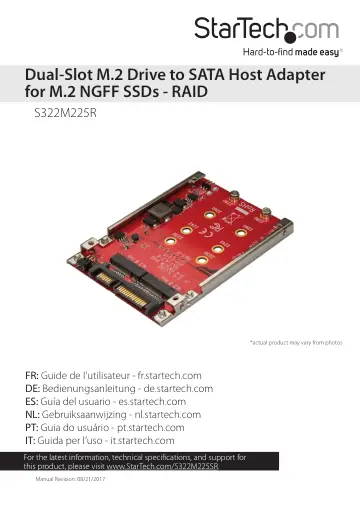
StarTech.com M.2 to SATA Adapter for M.2 SATA SSDs (S322M225R) user manual
- Type
- User manual
- Language
- English
- Pages
- 11
- Category
- Docks & adapters
- Models
- S322M225R
Open PDFOpens the file on objects.icecat.biz.
Contents
- Product diagramp. 4
- Requirementsp. 5
or 2 M.2 NGFF drives • SATA host device • Screwdriver The S322M225R is OS independent and doesn’t require any additional drivers or software. Requirements are…
- About the LED indicatorsp. 5
The S322M225R features one power LED and two drive activity/link LEDs. LED behavior Significance Power LED is illuminated Adapter is receiving power…
- Install and connect the host adapterp. 6
Warning! Always handle storage devices with caution. Make sure that you’re properly grounded by wearing an anti-static strap when you install any computer…
- Prepare a hard drive for usep. 7
Windows OS If you install a hard drive that has data on it, the hard drive appears under My Computer or Computer with a drive letter assigned to it. If you…
- Windows OSp. 7
If you install a hard drive that has data on it, the hard drive appears under My Computer or Computer with a drive letter assigned to it. If you install a…
- macOSp. 8
If you install a brand-new hard drive that doesn’t contain any data, you must prepare the hard drive for use. Warning! When you complete the following steps…
- About RAID modesp. 8
The S322M225R supports four RAID modes: RAID 0, RAID 1, JBOD, and SPAN. RAID mode Description RAID 0 Stripe set Splits data evenly across two or more drives…
- Configure a RAID modep. 9
Warning! When you set or change your RAID configuration, you will erase the data or metadata on your existing drives. Save or back up any important data before…
- Technical supportp. 10
StarTech.com’s lifetime technical support is an integral part of our commitment to provide industry-leading solutions. If you ever need help with your product…
- Warranty informationp. 10
This product is backed by a two-year warranty. StarTech.com warrants its products against defects in materials and workmanship for the periods noted, following…