Loading manual…
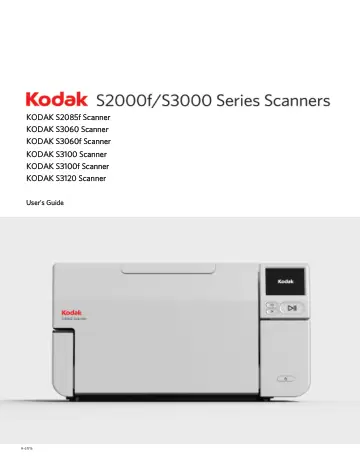
Kodak S2085F (8001703) user manual
- Type
- User manual
- Language
- English
- Pages
- 84
- Models
- 8001703
Open PDFOpens the file on objects.icecat.biz.
Contents
- Coverp. 1
A-61916 KODAK S2085f Scanner KODAK S3060 Scanner KODAK S3060f Scanner KODAK S3100 Scanner KODAK S3100f Scanner KODAK S3120 Scanner User's Guide
- Safetyp. 7
User Precautions • Place the scanner on a sturdy, level work surface capable of supporting 20.4 kg (45 lbs) and leave adequate clearance on all sides of the…
- 1 Overviewp. 9
The Kodak S2000f/S3000 Series Scanners are desktop duplex color scanners. These models are available: • Kodak S2085f Scanner scans up to 85 pages per minute…
- 2 Installation/First Scanp. 17
Installation The following is a list of steps you will need to perform in order to get your scanner set up and connected to your computer. 1. Unbox your…
- 3 Scanner Adjustmentsp. 27
Adjusting the input tray You can adjust the input tray to accommodate your scanning needs. • Adjusting the side guides — the side guides can be moved in or out…
- 4 Document Printingp. 51
Using the Kodak Printer Accessory This chapter provides information for using the Kodak Printer Accessory for the S2000f/S3000 Series Scanners. In order to use…
- 5 Maintenancep. 57
- 6 Troubleshootingp. 69
Scanner error indicators A blinking power button indicates a scanner error or alert condition, which will be displayed on the scanner screen. A yellow alert…
- Appendix A Regulatory Informationp. 75
- Appendix B Warranty - US and Canada onlyp. 79
Congratulations on the purchase of an Alaris Scanner. Alaris Scanners are designed to provide end users with the highest performance and reliability. All…
- Back coverp. 84
All trademarks and trade names used are the property of their respective holders. The Kodak trademark and trade dress are used under license from Eastman Kodak…