Loading manual…
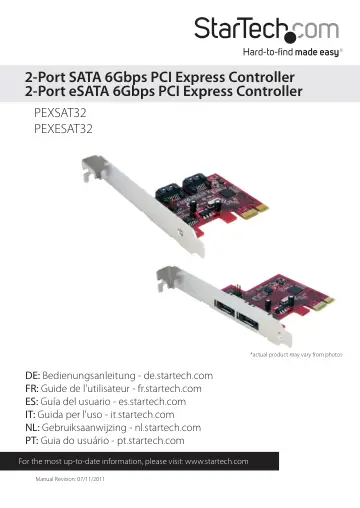
StarTech.com 2 Port SATA 6 Gbps PCI Express eSATA Controller Card (PEXESAT32) user manual
- Type
- User manual
- Language
- English
- Pages
- 11
- Models
- PEXESAT32
Open PDFOpens the file on objects.icecat.biz.
Contents
- Introductionp. 4
The StarTech.com 2-Port PCI Express 6Gbps eSATA or SATA Controller Cards offers simple connectivity between a host computer system and eSATA or SATA revision…
- System Requirementsp. 4
PCI Express enabled computer system with available PCIe card slot • Microsoft® Windows® XP/Server 2003/Vista/Server 2008 R2/7 (32/64-bit), or Linux®
- PEXSAT32 Viewp. 5
- PEXESAT32 Viewp. 5
- Installationp. 6
WARNING! PCI Express cards, like all computer equipment, can be severely damaged by static electricity. Be sure that you are properly grounded before opening…
- Hardware Installationp. 6
1. Turn your computer off and any peripherals connected to the computer (i.e. Printers, external hard drives, etc.). Unplug the power cable from the rear of…
- Verifying Installationp. 7
Windows XP/Server 2003/Vista/Server 2008 R2/7 From the main desktop, right-click on “My Computer” (“Computer” in Vista or later), then select “Manage”. In the…
- How to Usep. 8
RAID Configuration To setup a RAID array using the drives connected to the SATA controller card, the BIOS level configuration menu must be accessed. To access…
- RAID Configurationp. 8
To setup a RAID array using the drives connected to the SATA controller card, the BIOS level configuration menu must be accessed. To access the configuration…
- Specificationsp. 9
Bus Interface PCI Express rev 2.0* (x1 connector) SATA rev 3.0 Form Factor Full/Low Profile Chipset ID Marvell 9128 Connectors 2 x 7-pin eSATA (PEXESAT32) 2 x…
- Technical Supportp. 10
StarTech.com’s lifetime technical support is an integral part of our commitment to provide industry-leading solutions. If you ever need help with your product…
- Warranty Informationp. 10
This product is backed by a lifetime warranty. In addition, StarTech.com warrants its products against defects in materials and workmanship for the periods…