Loading manual…
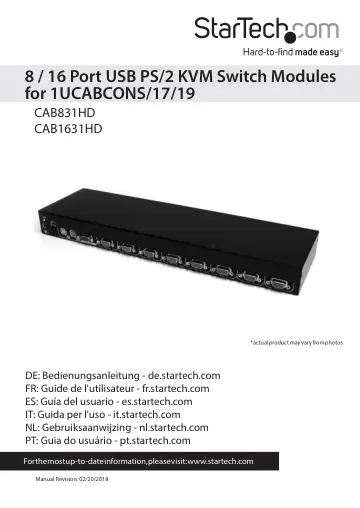
StarTech.com CAB831HD user manual
Open PDFOpens the file on objects.icecat.biz.
Contents
- Introductionp. 4
Thank you for purchasing a StarTech.com 1U KVM module. Designed for use with StarTech.com’s CABCONS17 or CABCONS19 integrated cabinet consoles, these KVMs…
- Featuresp. 4
CAB831HD, CAB1631HD: Supports PCs with both USB and PS/2 keyboard/mouse connections • Saves valuable rack space with thin 1U height form factor • Supports…
- Installationp. 5
This section will guide you through the hardware installation of your KVM switch. Please read through this section carefully and complete each step in the…
- Operating Your KVM Switchp. 6
To toggle between computers, you can use the OSD (On-Screen Display) menu or the hot-key commands
- WOSD Operationsp. 6
By hitting the left <CTRL> key twice within two seconds, you may see the ‘Hotkey Menu’ if it is enabled (an OSD option). Or, by hitting the left <CTRL> key…
- OSD Function Keysp. 7
You can use the function keys when the OSD menu is active. Function Key <F1> Edits the name of a computer or a Slave KVM. First, use the <UP> and <DOWN> arrow…
- Hot Key Commandsp. 10
A hot key command is a short keyboard sequence to select a computer, activate a computer scan, etc. A hot-key sequence starts with two Left Control keystrokes…
- Changing Your Configurationp. 12
After the initial power up, any device (either a KVM or a PC) can be added or removed from any PC x port on the KVM without having to power down the Master KVM…
- Keyboard Mappingp. 12
These KVMs are able to emulate a Sun keyboard and mouse when a computer is marked with a Sun in OSD menu by Function key <F5>. A Sun keyboard has more keys…
- Troubleshootingp. 14
If you are experiencing trouble with your devices, first make sure that all cables are connected to their proper ports and are firmly seated. You may also want…
- Specificationsp. 15
CAB831HD CAB1631HD User Ports 1 1 Computer Ports 8 16 Cascade Control PC Number Up to 64 Up to 136 Cable Type 2-in1 USB KVM 3-in1 PS/2 KVM 2-in1 USB KVM 3-in-1…
- Technical Supportp. 17
StarTech.com’s lifetime technical support is an integral part of our commitment to provide industry-leading solutions. If you ever need help with your product…
- Warranty Informationp. 17
This product is backed by a two year warranty. In addition, StarTech.com warrants its products against defects in materials and workmanship for the periods…