Loading manual…
D-Link 5-Port Unmanaged Industrial Switch (DIS-100G-5SW) installation instructions
- Type
- Installation instructions
- Language
- English
- Pages
- 4
- Category
- Network switches
- Models
- DIS-100G-5SW
Open PDFOpens the file on objects.icecat.biz.
Contents
- DIS-100G Series Unmanaged Industrial Gigabit Ethernet Switchp. 1
Quick Installation Guide
- Quick Installation Guidep. 1
Overview The DIS-100G unmanaged Industrial Gigabit Ethernet Switch solutions are designed for supporting standard industrial applications without complex setup…
- Overviewp. 1
The DIS-100G unmanaged Industrial Gigabit Ethernet Switch solutions are designed for supporting standard industrial applications without complex setup to make…
- Package Checklistp. 1
Please verify that the box contains the following items: Item Quantity Unmanaged switch 1 Wall-mount plates 2 DIN-Rail kit 1 M4 Screws (for the wall mount…
- Safety Instructionsp. 1
When a connector is removed during installation, testing, or servicing, or when an energized fiber is broken, a risk of ocular exposure to optical energy that…
- Documentation Conventionsp. 1
The following conventions are used in this quick installation guide to emphasize information that will be of interest to the reader. Danger — The described…
- DIN-Rail Mountingp. 1
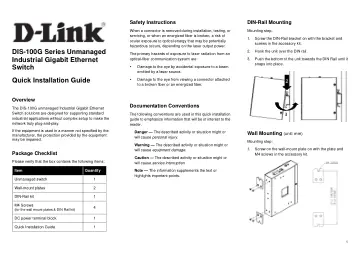
Mounting step: 1. Screw the DIN-Rail bracket on with the bracket and screws in the accessory kit. 2. Hook the unit over the DIN rail. 3. Push the bottom of the…
- Wall Mounting (unit: mm)p. 1
Mounting step: 1. Screw on the wall-mount plate on with the plate and M4 screws in the accessory kit. 2 3
- Ground Connectingp. 2
The switch must be properly grounded for optimum system performance. DIS-100G-5W DIS-100G-5SW DIS-100G-5PSW
- Ethernet Interface Connecting (RJ45 Ethernet)p. 2
The switches provide two types of electrical (RJ45) and optical (mini-GBIC) interfaces. Connecting the Ethernet interface via RJ45: To connect to a PC, use a…
- Ethernet Interface Connecting the (Fiber, SFP)p. 2
For a 1000 Mbps fiber port available, please use the mini-GBIC SFP (small form pluggable). These accept plug in fiber transceivers that typically have an LC…
- Power Connectingp. 2
The switch can be powered from two power supply (input range 12V – 58V). Insert the positive and negative wires (AWG 14-26) into V+ and V- contact on the…
- Alarm Relay Connecting (for Non-PoE Models)p. 3
The alarm relay output contacts are in the middle of the DC terminal block connector shown as the figure below. By inserting the wires and set the DIP switch…
- DIP Switch Settingp. 3
LED STATUS INDICATIONS LED Name Indicator/ color Condition PoE On Green PoE is working. Off PoE is not working P1 On Green P1 power line has power Off P1 power…
- LED STATUS INDICATIONSp. 3
LED Name Indicator/ color Condition PoE On Green PoE is working. Off PoE is not working P1 On Green P1 power line has power Off P1 power line disconnect or…
- Additional Informationp. 3
You can refer to the user manual or visit http://support.dlink.com/ for more support. Online Support If there are any issues that are not in the user manual…