Loading manual…
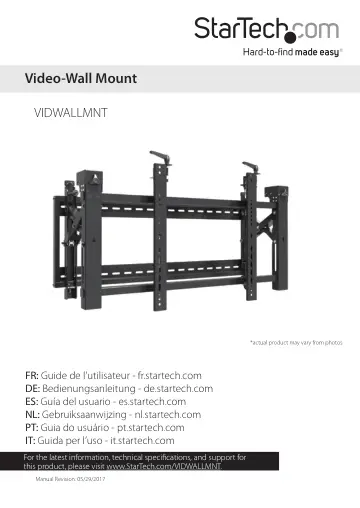
StarTech.com Video Wall Mount (VIDWALLMNT) user manual
- Type
- User manual
- Languages
- English, Spanish, German
- Pages
- 37
- Category
- Commercial displays
- Models
- VIDWALLMNT
Open PDFOpens the file on objects.icecat.biz.
Contents
- Product dimensionsp. 7
min 200 mm to max 450 mm (min 8 in. to 18 in.) min 200 mm to max 600 mm (min 8 in. to max 24 in.) 483 mm (19 in.) 934 mm (37 in.) min 143 mm to max 306 mm (min…
- Product diagramp. 8
Adjustment module Adapter bracket Adapter bracket Wall plate Handle Handle Thumbscrew Thumbscrew
- Technical specificationsp. 9
Type of measurement Measurement VESA 200x200 300x300 400x200 400x400 600x400 RATED LOAD 70 kg (154 lb.) TILT -50 to +30 SCREEN Between 45 in. and 70 in. LEVEL…
- Attach the wall plate to the wallp. 13
Warning! Wall structures vary, and it is important to make sure that the type of structure and mounting hardware that you are using will properly support the…
- Attach the adjustment modulep. 15
Note: It may require two people to attach the adjustment module to the wall plate. 1. Remove the zipped ties from around the adjustment module. 2. Push on the…
- Attach the adapter brackets to the TVp. 17
1. Determine if the back of the TV is flush or inset and measure the depth and diameter of the mounting holes on the TV. 2. With the information you obtain in…
- Attach the TV to the adjustment modulep. 20
Note: It may require two people to attach the TV assembly to the adjustment module. 1. At the top of each of the adapter brackets, push the knobs down and turn…
- Pop a TV out from the wallp. 21
The VIDWALLMNT includes a pop-out feature that you can use to access and adjust the mounted TVs. • Carefully push the TV in towards the wall. (figure 13) To…
- Use the kickstandp. 22
The VIDWALLMNT includes a kickstand feature that you can use when the TV is popped out from the wall to angle and access the back of the mounted TV. 1.…
- Lock the TV against the wallp. 22
If you want to lock the TV and prevent people from being able to pop it out from the wall, complete the following: 1. Position the plastic tabs so that the…
- Adjusting the position of the TVp. 24
You can adjust the tilt, horizontal position, vertical position, depth, and swivel of the TV. Warning! If you’re adjusting a TV that is part of a multi-unit…
- Adjust the horizontal position of the TVp. 24
1. If necessary, pop the TV out from the wall. 2. Move the TV right or left until it’s in the desired position. (figure 18) figure 18
- Lock the horizontal position of the TVp. 25
1. If necessary, pop the TV out from the wall. 2. Position the stoppers so that the screws are facing towards the TV. 3. Slide the stoppers onto the adjustment…
- Adjust the tilt angle of the TVp. 25
1. If necessary, pop the TV out from the wall. 2. Do one of the following: • To angle the TV upwards, push the handles at the top of each of the adapter…
- Adjust the vertical position of the TVp. 27
- Make the TV levelp. 29
- Adjust the depth of the TVp. 31
- Adjust the swivel angle of the TVp. 33
- Adjust the gap between the TVsp. 35
Warning! To have the clearance to pop TVs out from the wall and to accommodate any expansion of the TVs, you need to make sure that there is a 1.2 mm gap…
- Technical supportp. 36
StarTech.com’s lifetime technical support is an integral part of our commitment to provide industry-leading solutions. If you ever need help with your product…
- Warranty informationp. 36
This product is backed by a five-year warranty. StarTech.com warrants its products against defects in materials and workmanship for the periods noted…