Loading manual…
StarTech.com 2 Port PCI RS232 Serial Adapter Card (PCI2S550) user manual
- Type
- User manual
- Language
- English
- Pages
- 10
- Category
- Docks & adapters
- Models
- PCI2S550PCI2S550_LP
Open PDFOpens the file on objects.icecat.biz.
Contents
- Introductionp. 4
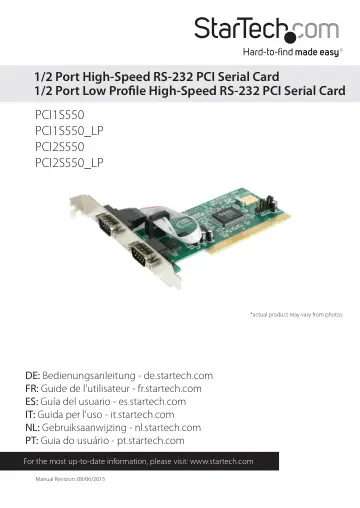
Thank you for purchasing a high speed PCI RS-232 serial card from StarTech.com. This product adds one (PCI1S550, PCI1S550_LP) or two (PCI2S550, PCI2S550_LP)…
- System Requirementsp. 4
A computer running DOS, Windows 95/ 98SE/ 2000/ XP(32/64bit)/ Server 2003(32/64bit)/ Vista(32/64bit)/ 7(32/64bit)/ Server 2008 R2, Linux, and Mac OS 10.4.x and…
- Installationp. 5
This section will guide you through the installation of your PCI card and the related software. Please read through the instructions carefully and complete…
- Installing the Cardp. 5
1. Make sure that your system is unplugged and you are grounded. 2. Remove the cover of your system (see your computer’s user manual for details, if necessary)…
- Installing the Driversp. 5
If you lose your driver disk, these drivers are available as a free download from our website. Visit www.startech.com and click on the Downloads link for more…
- Verifying Your Installationp. 7
Windows 95/98/ME 1. Go to Start > Settings > Control Panel. 2. Double click System. 3. Click the Hardware tab. 4. If the card does not appear with a red x or…
- Specificationsp. 8
- Technical Supportp. 9
StarTech.com’s lifetime technical support is an integral part of our commitment to provide industry-leading solutions. If you ever need help with your product…
- Warranty Informationp. 9
This product is backed by a lifetime warranty. In addition, StarTech.com warrants its products against defects in materials and workmanship for the periods…