Loading manual…
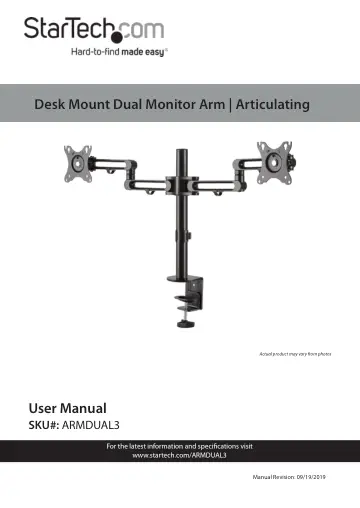
StarTech.com Desk Mount Dual Monitor Arm (ARMDUAL3) user manual
- Type
- User manual
- Language
- English
- Pages
- 23
- Category
- Monitors
- Models
- ARMDUAL3
Open PDFOpens the file on objects.icecat.biz.
Contents
- Warning Statementsp. 3
Make sure that you assemble this product according to the instructions. • Do not exceed the weight capacity of this product. Overloading this product might…
- Product Diagramp. 6
Swivel Arm Assembly 2 Monitor Mounts x 2 3 Pole 4 C-Clamp 5 Cable Management Clips x 5 (installed) 2 1 5 3 4
- Product Dimensionsp. 7
- Product Informationp. 8
Package Contents Upper Desk Clamp Qty: One Lower Desk Clamp Qty: One Swivel Arm Assembly Qty: One Pole Qty: One
- Product Specificationsp. 11
VESA 75 x 75 100 x 100 LB kg Total Weight (two monitors) 35.2 lb. (2 x 8 kg) Screen Size Max. 32 “ Rotation 360o
- Requirementsp. 12
Phillips Head Screwdriver x 1 • Monitors x 2 • Mounting Surface x 1
- Assembling the C-Clampp. 13
If the Mounting Surface’s thickness is between 40 mm - 85 mm: 1. Align the two lower Screw Holes on the Upper Desk Clamp with the two Screw Holes on the Lower…
- Assembling the Monitor Armp. 15
1. Align the three Screw Holes on the top of the C-Clamp with the three Screw Holes on the bottom of the Pole. 2. Insert the three Pole Assembly Screws through…
- Mounting the Monitorsp. 17
Note: It is recommend that two people are used to mount the Monitors to the Monitor Mounts. 1. Determine the size of screw to use to mount the Monitors to the…
- Adjusting the Monitorsp. 20
1. Using the 6 mm Hex Key, loosen the Adjustment Screw that is located on the side of the Monitor Mount. Adjusting the Monitor Tilt 2. Adjust the tilt of the…
- Routing the Cablesp. 21
Monitor Cables can be routed along the Swivel Arm Assembly through the Cable Management Clips along the Swivel Arm Assembly and down along the Pole through the…