Loading manual…
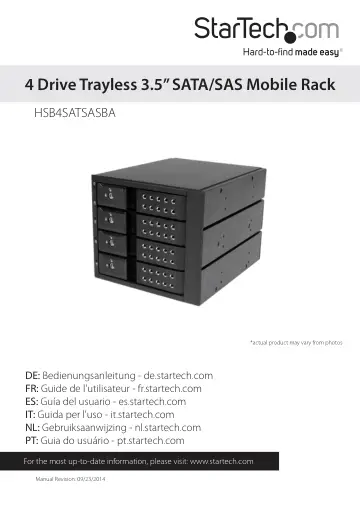
StarTech.com HSB4SATSASBA user manual
- Type
- User manual
- Language
- English
- Pages
- 13
- Category
- Storage & drives
- Models
- HSB4SATSASBA
Open PDFOpens the file on objects.icecat.biz.
Contents
- Introductionp. 4
Packaging Contents • 1x 4 Drive Trayless 3.5in SATA/SAS Mobile Rack • 8x Installation screws • 2x Drive bay keys • 4x SATA cables • 1x Instruction Manual
- System Requirementsp. 4
1x Computer System with SATA connectivity and three available 5.25” bays • 2x Available SATA Power Connections • Up to four 3.5” SATA/SAS Hard Drive(s)
- Product Diagramp. 5
- Front Viewp. 5
Rear View 1. 4x 3.5” Drive bays 2. 4x 3.5” Drive bay key hole 3. 4x 3.5in LED indicators 1. 2x SATA Drive Power Connector ports 2. 4x SATA Data Connector ports…
- Rear Viewp. 5
1. 4x 3.5” Drive bays 2. 4x 3.5” Drive bay key hole 3. 4x 3.5in LED indicators 1. 2x SATA Drive Power Connector ports 2. 4x SATA Data Connector ports 3. Hard…
- Installationp. 6
WARNING! Hard drives and storage docks require careful handling, especially when being transported. If you are not careful with your hard disk, lost data may…
- Hardware Installationp. 6
1. Ensure your computer system is powered down, and the power cable has been disconnected from the Power Supply. 2. Open your computer case (refer to the…
- How to Usep. 9
- Connecting the Hard Drivep. 9
section for instructions. How to Use Connecting the Hard Drive Once the drive has been installed in the drive bay, the drivers will install automatically, and…
- LED Indicatorp. 10
The HSB2535SATBK offers 3.5in LED indicators, to enable you to monitor drive activity. The LED will flash while the hard drive is being accessed. Do not remove…
- Disconnecting the Hard Drivep. 10
Windows The drive should be uninstalled from device manager, or unmounted using third party hot swap software. Note: Removing the connected drive while it is…
- Initializing the Hard Drivep. 10
1. If the SATA Hard Drive is blank it may need to be initialized and formatted before use. From the main Windows desktop, right-click on “My Computer”…
- Technical Supportp. 12
StarTech.com’s lifetime technical support is an integral part of our commitment to provide industry-leading solutions. If you ever need help with your product…
- Warranty Informationp. 12
This product is backed by a two year warranty. In addition, StarTech.com warrants its products against defects in materials and workmanship for the periods…