Loading manual…
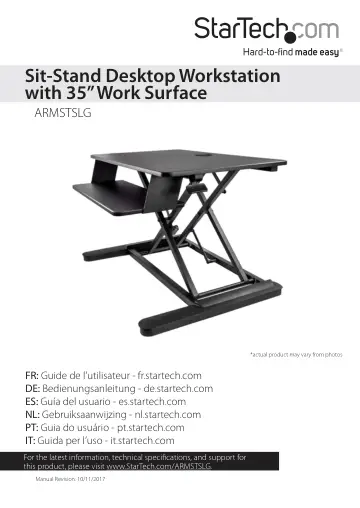
StarTech.com Sit Stand Desk Converter (ARMSTSLG) user manual
- Type
- User manual
- Language
- English
- Pages
- 16
- Category
- Monitors
- Models
- ARMSTSLG
Open PDFOpens the file on objects.icecat.biz.
Contents
- Product dimensionsp. 5
- Weight capacityp. 6
- Requirementsp. 7
x wrench (if you use the grommet hole to mount your equipment) Requirements are subject to change. For the latest requirements, please visit…
- Raise or lower the ARMSTSLGp. 8
Warning! Before you move the workstation up or down, make sure that the equipment mounted on the workstation is secure. If your equipment is not stable, it…
- Adding equipment to the ARMSTSLGp. 9
You can place equipment onto the ARMSTSLG or you can use the provided hardware and grommet hole to mount your equipment to the ARMSTSLG. Warning! If you attach…
- Place free-standing equipment onto the ARMSTSLGp. 9
1. Move the ARMSTSLG to the lowest position. 2. Place your equipment (for example, monitors, keyboard, mouse, and so on) onto the workstation. (figure 2)…
- Clamp equipment to the grommet holep. 11
Warning! Do not exceed the weight capacity of the ARMSTSLG. The larger work surface can support up to 28 lb. (12.7 kg) and the keyboard tray can support up to…
- Adjust the tension of the ARMSTSLGp. 13
Warning! Remove all equipment from the ARMSTSLG before you begin to adjust the tension. 1. Carefully remove all of the equipment from the ARMSTSLG. 2. Raise…
- Reposition the keyboard trayp. 14
1. Remove the equipment from the keyboard tray. 2. Raise the ARMSTSLG to a position that enables you to access the underside of the keyboard tray. 3. Use the…
- Technical supportp. 15
StarTech.com’s lifetime technical support is an integral part of our commitment to provide industry-leading solutions. If you ever need help with your product…
- Warranty informationp. 15
This product is backed by a two-year warranty. StarTech.com warrants its products against defects in materials and workmanship for the periods noted, following…