Loading manual…
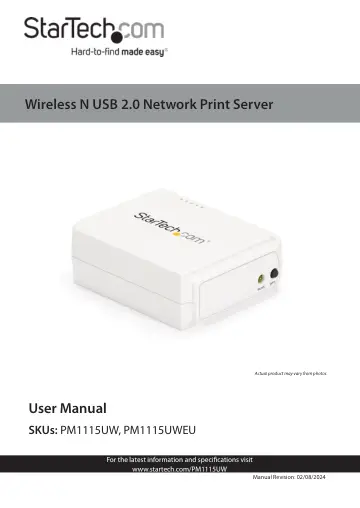
StarTech.com PM1115UW user manual
- Type
- User manual
- Language
- English
- Pages
- 36
- Category
- Desktops & servers
- Models
- PM1115UWPM1115UWEU
Open PDFOpens the file on objects.icecat.biz.
Contents
- Product Diagramp. 9
- Front Viewp. 9
- Back Viewp. 9
- Product Informationp. 10
Requirements For the latest product software, product information, technical specifications, manuals, and Declarations of Conformance, please visit…
- Requirementsp. 10
For the latest product software, product information, technical specifications, manuals, and Declarations of Conformance, please visit…
- Configurationsp. 10
Operating System Function PS Admin Utility / Setup Wizard Windows® XP, Vista, 7, 8, 8.1, 10 Install a single print server on a network Embedded Web server…
- Installationp. 11
Default Settings • Username: admin • Password: (None) • Wireless Mode: Ad-Hoc (Peer-to-Peer) • SSID: PM1115UW • IP Address: 192.168.0.10
- Default Settingsp. 11
Username: admin • Password: (None) • Wireless Mode: Ad-Hoc (Peer-to-Peer) • SSID: PM1115UW • IP Address: 192.168.0.10
- Basic Hardware Installationp. 11
1. Turn OFF the Power to the Printer. 2. Connect the Print Server to the Printer, using an appropriate USB Printer Cable. 3. Turn ON the Power to the Printer.…
- Hardware and Software Installationp. 11
The PM1115UW can be installed using two distinct methods. Method 1: For a streamlined installation, follow the steps listed in the Basic Software Installation…
- Operationp. 28
LED Indicators LED State Indication Status Blinking for POST (Yellow) When power is connected, the Status LED Indicator will flash five times, and then go…
- LED Indicatorsp. 28
LED State Indication Status Blinking for POST (Yellow) When power is connected, the Status LED Indicator will flash five times, and then go solid. USB On…
- Troubleshootingp. 30
Power Related Issues Problem Solution • The Print Server is not receiving adequate power. • Inspect the Power Adapter Cable/ Connectors for damage. • The Print…