Loading manual…
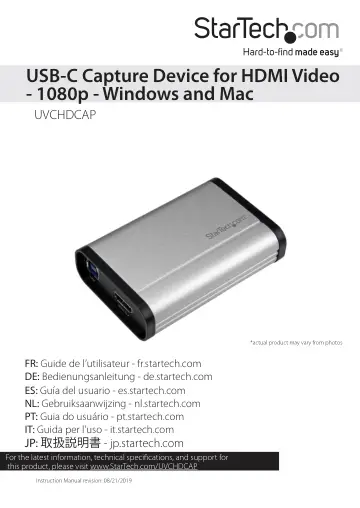
StarTech.com HDMI to USB C Video Capture Device 1080p 60fps (UVCHDCAP) user manual
- Type
- User manual
- Language
- English
- Pages
- 13
- Category
- Docks & adapters
- Models
- UVCHDCAP
Open PDFOpens the file on objects.icecat.biz.
Contents
- Product diagramp. 4
- Front viewp. 4
Back view HDMI In port Audio In port USB port HDMI Out port
- Back viewp. 4
HDMI In port Audio In port USB port HDMI Out port
- Requirementsp. 5
x HDMI video source with cabling • 1 x HDMI display with cabling (optional for video passthrough) • 1 x computer system with minimum: USB 3.0 CPU: Intel® Core™…
- Specificationsp. 6
UVC Output Resolution USB 3.0 1920×1200p@60/50/30/25/24fps 1920×1080p@60/50/30/25/24fps 1280×1024p@60/50/30/25/24fps 1280×720p@60/50/30/25/24fps…
- Install the capture devicep. 6
1. Connect an HDMI cable (included) to the output port on your video source device and to the HDMI In port on the capture device. 2. Connect the USB cable…
- Basic StreamCatcher operationp. 7
Launch the StreamCatcher application 1. Double-click the StreamCatcher icon on your Desktop to launch the video capture application. 2. The main Menu screen…
- Install the UVC Utilityp. 9
1. Use a web browser to navigate to www.StarTech.com/UVCHDCAP. 2. Click the Support tab. 3. Under the Drivers & Downloads selection, click UVC Utility from the…
- Configure the capture device using the UVC Utilityp. 10
Each of the following settings can be set to your desired configuration from within the UVC Utility. Once these configurations are set, they’ll remain as…
- Technical supportp. 12
StarTech.com’s lifetime technical support is an integral part of our commitment to provide industry-leading solutions. If you ever need help with your product…
- Warranty informationp. 12
This product is backed by a two-year warranty. StarTech.com warrants its products against defects in materials and workmanship for the periods noted, following…