Loading manual…
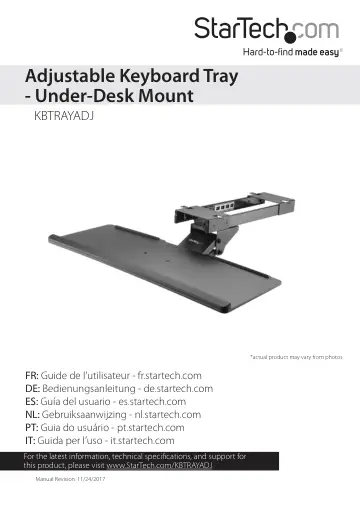
StarTech.com Under-Desk Keyboard Tray - Adjustable (KBTRAYADJ) user manual
- Type
- User manual
- Language
- English
- Pages
- 19
- Category
- Keyboards & mice
- Models
- KBTRAYADJ
Open PDFOpens the file on objects.icecat.biz.
Contents
- Product diagramp. 5
Sliding rail Keyboard arm Keyboard tray Wrist rest Keyboard screws
- Product dimensionsp. 6
- Requirementsp. 8
Phillips type screwdriver • Pen or pencil to mark the desk with • Appropriate tools to make screw pilot holes in the desk Requirements are subject to change.…
- Mark the mounting holes on the deskp. 9
1. Position the sliding rail on the underside of your desk so that the arrow on the sliding rail is pointing towards the front of the desk. 2. Make sure that…
- Attach the keyboard armp. 11
1. Line up the holes on the top of the keyboard arm with the holes in the projections on the inside of the sliding rail. 2. Insert the four rail screws through…
- Attach the sliding rail to the deskp. 12
- Attach the keyboard trayp. 13
1. Line up the holes on the keyboard tray with the holes on the keyboard arm. 2. Insert the four tray screws through the keyboard tray and into the keyboard…
- Adjust the angle of the keyboard trayp. 15
1. To increase or decrease the angle of the keyboard tray, turn the knob on the side of the keyboard arm counterclockwise. 2. Adjust the keyboard tray to the…
- Adjust the height of the keyboard trayp. 16
1. To increase or decrease the height of the keyboard tray, turn the knob on the side of the keyboard arm counterclockwise. 2. Move the keyboard tray to the…
- Move the keyboard tray in or outp. 17
To move the keyboard tray in or out from the desk, pull or push the keyboard tray to the desired location. (figure 9) Keyboard tray Knob Desk
- Technical supportp. 18
StarTech.com’s lifetime technical support is an integral part of our commitment to provide industry-leading solutions. If you ever need help with your product…
- Warranty informationp. 18
This product is backed by a two-year warranty. StarTech.com warrants its products against defects in materials and workmanship for the periods noted, following…