Loading manual…
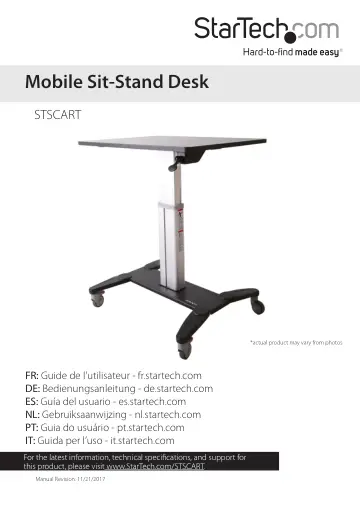
StarTech.com Mobile Standing Desk (STSCART) user manual
- Type
- User manual
- Language
- English
- Pages
- 21
- Category
- Laptops
- Models
- STSCART
Open PDFOpens the file on objects.icecat.biz.
Contents
- Product dimensionsp. 6
mm (31.5 in.) 600 mm (24 in.) 970 mm (38 in.) 750 mm to 1150 mm (29.5 in. to 45 in.) 703.5 mm (28 in.) 586 mm (23 in.)
- Product diagramp. 7
Locking caster Locking caster Caster Column Base Desktop Adjustment lever Back Front
- Technical specificationsp. 8
Type of measurement Measurement Lift 400 mm (16 in.) Lift capacity 4.5 kg (10 lb.) Note: If you add more than 4.5 kg of weight to the desktop, you will need to…
- Assemblyp. 12
Attach the casters to the base Tip! The back edge of the base is labeled on the underside of the base. 1. Position one of the non-locking casters in line with…
- Attach the casters to the basep. 12
Tip! The back edge of the base is labeled on the underside of the base. 1. Position one of the non-locking casters in line with the assembly holes in one…
- Attach the column to the desktopp. 14
The desktop includes a wire cable with an end connector that you use to connect to the spring release in the column. 1. Turn over the desktop so that the…
- Attach the column assembly to the base assemblyp. 16
1. Position the base assembly so that the front of the base is in line with the front of the desktop. 2. Insert four of the M6x15 mm socket-head screws through…
- Using the mobile sit-stand deskp. 17
Move the desktop up or down Warning! Before you move the desktop up or down, make sure that the equipment on the desktop is secure. If your equipment is not…
- Lock the locking castersp. 18
To prevent the mobile sit-stand from moving, press the locking pedals located on the two locking casters at the front of the mobile sit-stand. (figure 12) •…
- Manage your cablesp. 19
1. Snap the cable clips into the grooves located on the bottom half of the column at the back or front of the mobile sit-stand. 2. Position your cables down…
- Technical supportp. 20
StarTech.com’s lifetime technical support is an integral part of our commitment to provide industry-leading solutions. If you ever need help with your product…
- Warranty informationp. 20
This product is backed by a two-year warranty. StarTech.com warrants its products against defects in materials and workmanship for the periods noted, following…