Loading manual…
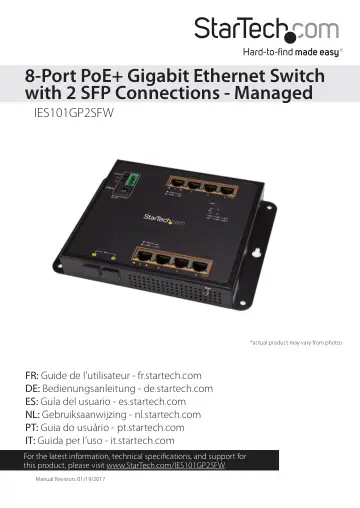
StarTech.com IES101GP2SFW user manual
- Type
- User manual
- Language
- English
- Pages
- 13
- Category
- Network switches
- Models
- IES101GP2SFW
Open PDFOpens the file on objects.icecat.biz.
Contents
- Introductionp. 4
Use the IES101GP2SFW to add up to 10 GbE devices to your network. The IES101GP2SFW features eight RJ45 ports, two SFP connections, and management support. All…
- Product diagramp. 4
Front view Mounting hole SFP link and activity LEDs RJ45 link and activity LEDs (2 per port) 3-pin terminal block DC power input RJ45 ports 1 to 4 RJ45 ports 5…
- Requirementsp. 6
Ethernet port connection • RJ45 network cables • PoE powered devices (optional) • SFP transceivers This network switch is OS independent and doesn’t require…
- About the LED indicatorsp. 6
This network switch features eight RJ45 link and activity LEDs, a SFP link and activity LEDs for the two SFP ports, and a power LED. For more information about…
- Insert an SFP transceiver into the switchp. 7
Inserting an SFP transceiver into the network switch is optional and isn’t required to use the switch. You don’t need to turn off the network switch before you…
- Wire the power inputsp. 7
You can use either an external power adapter or the terminal block to power the network switch. Alternatively, you can connect both an external power adapter…
- Reset to the default factory settingsp. 8
You can use the Reset button to reset the network switch to the following default factory settings: Default user name: admin Default password: admin Default IP…
- Installationp. 9
Install the network switch onto a wall The mounting holes on the network switch are 8 mm in diameter, and the distance between the two holes is 163 mm. 1. Hold…
- Install the network switch onto a wallp. 9
The mounting holes on the network switch are 8 mm in diameter, and the distance between the two holes is 163 mm. 1. Hold the network switch against the wall in…
- Install the switch onto a magnetic surfacep. 10
1. Push each of the attaching pins into a locking pin. 2. Insert the attaching and locking pins into one of the mounting holes on the network switch, through a…
- Mount the switch onto a DIN railp. 11
1. With the flat side of the DIN rail positioned against the network switch, line up the holes on the DIN rail with the holes on the switch. 2. Insert the…
- Technical supportp. 12
StarTech.com’s lifetime technical support is an integral part of our commitment to provide industry-leading solutions. If you ever need help with your product…
- Warranty informationp. 12
This product is backed by a two-year warranty. StarTech.com warrants its products against defects in materials and workmanship for the periods noted, following…