Loading manual…
StarTech.com ICUSB23208FD user manual
- Type
- User manual
- Language
- English
- Pages
- 11
- Category
- Docks & adapters
- Models
- ICUSB23208FD
Open PDFOpens the file on objects.icecat.biz.
Contents
- Introductionp. 4
You can use the ICUSB23208FD to convert a single USB port into eight RS232 serial ports, and connect multiple hubs together to create a scalable and economical…
- Product diagramp. 4
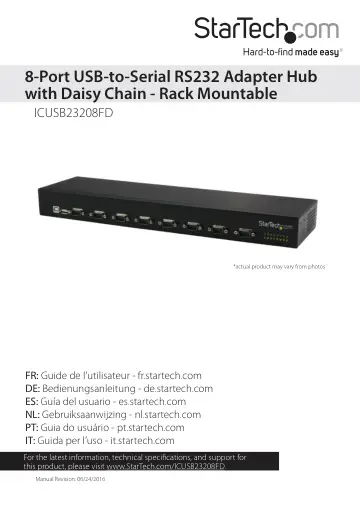
USB Type-B connector (host) USB Type-A connector (daisy chain) DB9 serial connectors (1 to 8) Receive LEDs (yellow) Transmit LEDs (green) Front view Back view…
- System requirementsp. 5
USB-equipped host computer system • Any of the following operating systems: • Windows® 10 (32-bit or 64-bit) • Windows 8.1 (32-bit or 64-bit) • Windows 8…
- RS232 pinoutp. 6
- Installationp. 7
You can use the power adapter or the two-wire terminal block power input (9-36V DC) to power the USB serial hub. You can also use redundant power input by…
- Install the USB serial hub using the power adapterp. 7
Warning! Make sure that the driver installation is complete before you plug in and connect the USB serial hub. 1. Insert the provided driver CD into your host…
- Install the hub using the terminal block power inputp. 7
- Confirm installationp. 8
Windows OS 1. On your computer, navigate to Device Manager. 2. Expand the Ports (COM & LPT) option. 3. Verify that the additional COM ports are listed. 4.…
- Use the daisy chain featurep. 8
You can daisy chain up to three devices and add up to 48 ports in total. 1. Connect the ICUSB23208FD to your host computer. For more information about how to…
- Perform a serial loopback testp. 9
To verify that a port is operational and to map the ports, you should perform a serial loopback test. A loopback test sends and receives data to and from the…
- Mount the serial hub in a server rackp. 9
The ICUSB23208FD comes with the necessary hardware to install the serial hub in a regular server rack or on DIN rails. 1. Do one of the following: • Use the…
- Technical supportp. 10
StarTech.com’s lifetime technical support is an integral part of our commitment to provide industry-leading solutions. If you ever need help with your product…
- Warranty informationp. 10
This product is backed by a two-year warranty. StarTech.com warrants its products against defects in materials and workmanship for the periods noted, following…