Loading manual…
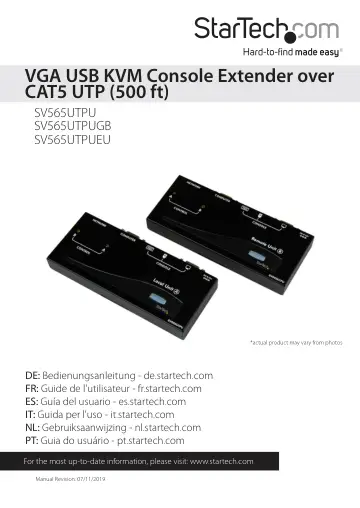
StarTech.com SV565UTPU user manual
- Type
- User manual
- Language
- English
- Pages
- 20
- Category
- Docks & adapters
- Models
- SV565UTPUSV565UTPUEUSV565UTPUGB
Open PDFOpens the file on objects.icecat.biz.
Contents
- Introductionp. 4
The SV565UTPU USB VGA KVM Console Extender over CAT5 UTP (500 ft) lets you control a server, computer or multiple computers (connected through KVM Switch) over…
- System Requirementsp. 4
x integrated KVM cable each for the host and remote computers. Longer cables are available from StarTech.com, part numbers: SVECONx (PS/2), SVECONUSx (USB) •…
- Connecting Your KVM Extenderp. 5
Preparing Your Site Before you can install the product, you need to prepare your site. 1. Determine where the host computer will be located and set up the…
- Preparing Your Sitep. 5
Before you can install the product, you need to prepare your site. 1. Determine where the host computer will be located and set up the computer. 2. Determine…
- Installing the Host Unitp. 6
1. Place the Host Unit near the computer. 2. Switch off the computer and disconnect any connected devices. 3. Using the provided StarTech.com integrated KVM…
- Installing the Remote Unitp. 6
1. Place the Remote Unit near the remote keyboard/mouse/monitor setup. 2. Connect the USB mouse, keyboard, and a VGA monitor to the indicators marked as…
- Video Compensation (Remote Unit Only)p. 7
Video Compensation allows the user to adjust the equalization on the Remote Unit to optimize video performance based on the length of cable being used, as well…
- Using the KVM Extenderp. 8
This section details how to use your KVM extender at both the host and remote locations
- Using the Host Unitp. 8
The Host Unit allows users connected to the Host and Remote units to share control of devices (hosts, computers, KVM Switches) connected to it. The Host Unit…
- Using the Remote Unitp. 12
The Remote Unit allows a user at the Remote Unit to assume control of devices connected to the Host Unit, if the Host Unit is set to Auto or Remote mode, and…
- Set Maximum Video Resolutionp. 15
By default the KVM switch is set to output an EDID signal with a maximum video resolution of 1024 x 768 to the host computer systems. To be able to set a…
- Troubleshootingp. 16
How do the A and B modes work for the local and remote units? In order to properly control the local computer at the remote end, it is useful to understand the…
- How do the A and B modes work for the local and remote units? In order to properly control the local computer at the remp. 16
Note: In the following descriptions, “console” refers to the mouse, keyboard, and monitor plugged into the local or remote units. Local unit is set to A +…
- Specificationsp. 17
RJ-45 Connector Pinout Maximum Resolution 1024 x 768 (at maximum UTP cable length) Actual maximum resolution varies by network cable length Maximum Range 500…
- Technical Supportp. 18
StarTech.com’s lifetime technical support is an integral part of our commitment to provide industry-leading solutions. If you ever need help with your product…
- Warranty Informationp. 18
This product is backed by a two year warranty. In addition, StarTech.com warrants its products against defects in materials and workmanship for the periods…