Loading manual…
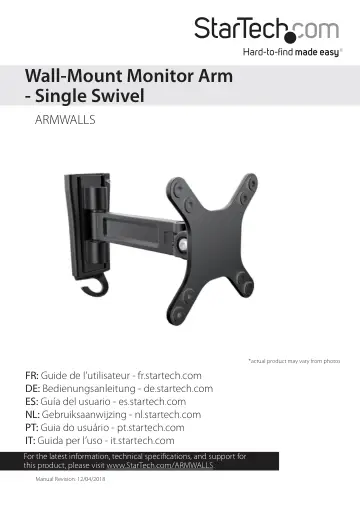
StarTech.com Wall-Mount Monitor Arm (ARMWALLS) user manual
- Type
- User manual
- Languages
- English, Spanish, French
- Pages
- 14
- Category
- Monitors
- Models
- ARMWALLS
Open PDFOpens the file on objects.icecat.biz.
Contents
- Introductionp. 5
Product dimensions min 55 mm to max 195 mm 75 mm 100 mm 75 mm 100 mm 154 mm 90° 90° 45°
- Product dimensionsp. 5
min 55 mm to max 195 mm 75 mm 100 mm 75 mm 100 mm 154 mm 90° 90° 45°
- Technical specificationsp. 6
Type of measurement Measurement VESA mounting hole pattern 75x75 100x100 Rated load Up to 15 kg (33 lb.) Tilt +450 to -450 Screen size Between 330 mm and 686…
- Requirementsp. 9
A monitor or display that is compatible with one of the VESA mounting hole patterns that ARMWALLS supports • A Phillips screwdriver Requirements are subject to…
- Installationp. 9
Attach the mounting plate to a wall Warning! Wall structures vary, and it is important that you make sure that the type of structure and mounting hardware that…
- Attach the mounting plate to a wallp. 9
Warning! Wall structures vary, and it is important that you make sure that the type of structure and mounting hardware that you are using will properly support…
- Attach a monitor to the display armp. 10
Warning! Attaching a monitor is a two-person job. Do not attempt to complete this task by yourself. To accommodate different monitor sizes, the ARMWALLS comes…
- Adjust the angle of the monitorp. 12
To position the monitor, do either of the following: • Use the 5 mm hex key to loosen the screw in the monitor mount. Move the monitor and then tighten the…
- Technical supportp. 13
StarTech.com’s lifetime technical support is an integral part of our commitment to provide industry-leading solutions. If you ever need help with your product…
- Warranty informationp. 13
This product is backed by a five-year warranty. StarTech.com warrants its products against defects in materials and workmanship for the periods noted…