Loading manual…
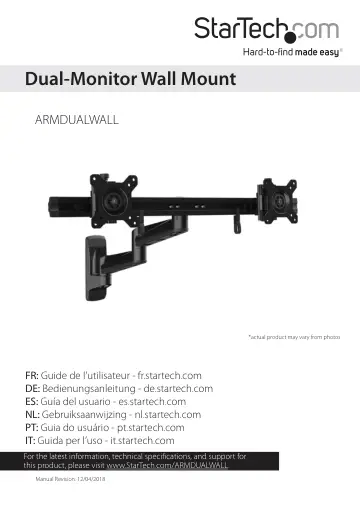
StarTech.com ARMDUALWALL user manual
- Type
- User manual
- Languages
- English, Spanish
- Pages
- 23
- Category
- Monitors
- Models
- ARMDUALWALL
Open PDFOpens the file on objects.icecat.biz.
Contents
- Product diagramp. 5
VESA monitor mount VESA monitor mount Crossbar Cable-management clip Mounting arm Mounting arm Wall plate
- Product dimensionsp. 5
- Technical specificationsp. 6
Type of measurement Measurement VESA 75x75 100x100 RATED LOAD 5 kg (11 lb.) per monitor mount ROTATION 3600 TILT -150 to +150 SCREEN Between 381 mm and 610 mm…
- Requirementsp. 10
Two monitors that are compatible with one of the VESA mounting hole patterns that ARMDUALWALL supports • A Phillips type screwdriver Requirements are subject…
- Installationp. 11
Warning! Make sure that the weight of the monitors doesn’t exceed the weight capacity of this product. If you exceed the weight capacity, you might experience…
- Attach the wall plate to the wallp. 11
Warning! Wall structures vary, and it is important to make sure that the type of structure and mounting hardware that you are using will properly support the…
- Attach the mounting armsp. 13
1. Place one of the mounting arms over the projection on the wall plate. (figure 4) figure 4 2. Place a mounting-arm washer into the joint in the mounting arm.…
- Attach the crossbarp. 16
1. Place the crossbar over the projection on the mounting arm. (figure 10) figure 10 2. Place the crossbar retainer into the crossbar. 3. Place a mounting-arm…
- Mount the monitorsp. 18
To accommodate different monitor designs, the ARMDUALWALL comes with two sets of screws of different lengths and diameters, and spacers. 1. To select the…
- Attach the VESA monitor mounts to the crossbarp. 19
- Adjust the ARMDUALWALLp. 20
1. To adjust the position of your monitors, do any of the following: • To move the monitors up or down in small increments, turn the knobs at the top of each…
- Organize your cablesp. 21
1. Attach the cable-management clips to the crossbar. 2. Route the cables along the crossbar. 3. Snap the cables into the cable-management clips. (figure 18)…
- Technical supportp. 22
StarTech.com’s lifetime technical support is an integral part of our commitment to provide industry-leading solutions. If you ever need help with your product…
- Warranty informationp. 22
This product is backed by a five-year warranty. StarTech.com warrants its products against defects in materials and workmanship for the periods noted…