Loading manual…
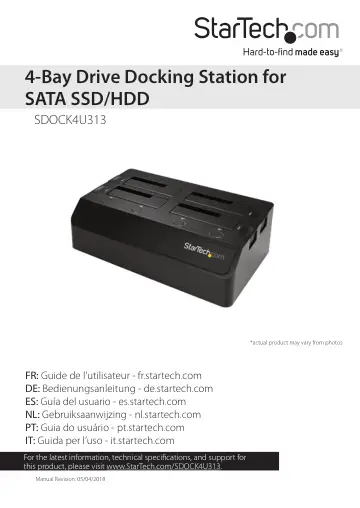
StarTech.com SDOCK4U313 user manual
- Type
- User manual
- Language
- English
- Pages
- 12
- Category
- Storage & drives
- Models
- SDOCK4U313
Open PDFOpens the file on objects.icecat.biz.
Contents
- Product diagramp. 4
- Front viewp. 4
- Rear viewp. 5
- Requirementsp. 6
Computer system with a USB port • Up to four 2.5” or 3.5” SATA HDDs or SSDs Note: To obtain the maximum USB throughput, you must use a computer system with a…
- About USB 3.1 Gen 2p. 6
USB 3.1 is also known as USB 3.1 Gen 2. This connectivity standard supports speeds up to 10Gbps. The SDOCK4U313 is backwards compatible and supports USB 2.0…
- About the LED indicatorsp. 6
The SDOCK4U313 features a power and activity LED indicator for each of the four hard drive slots. LED status Significance LED is illuminated green The drive…
- Installationp. 7
Connect the dock to a computer 1. Connect the universal power adapter to the power adapter port on the dock and to a power source. 2. Connect the USB 3.1…
- Connect the dock to a computerp. 7
1. Connect the universal power adapter to the power adapter port on the dock and to a power source. 2. Connect the USB 3.1 (Type-C™) cable or the USB 3.1…
- Insert a hard drive into the dockp. 7
Warning! You should handle your hard drives carefully, especially when you’re transporting them. If you’re not careful with your hard drives, you may lose data…
- Prepare a hard drive for usep. 8
Windows OS If you install a hard drive that has data on it, after you connect the dock to your computer, the hard drive appears under My Computer or Computer…
- Windows OSp. 8
If you install a hard drive that has data on it, after you connect the dock to your computer, the hard drive appears under My Computer or Computer with a hard…
- macOSp. 9
If you install a brand-new hard drive that doesn’t contain any data, you must prepare the hard drive for use. Warning! When you complete the following steps…
- Adjust the speed of the cooling fanp. 9
To adjust the speed of the cooling fans, do one of the following: • To increase the speed of the cooling fan, move the fan dial to the right. • To decrease the…
- Disconnect a hard drivep. 9
Caution! Before you remove a hard drive from the dock, make sure that the hard drive LEDs are not blinking.
- Windows OSp. 10
1. Click the Safely remove Hardware and Eject Media icon in the task bar. 2. Select the hard drive in the list of storage devices. 3. When a message appears…
- macOSp. 10
1. Close any open windows that list the contents of the hard drive. 2. On the desktop, drag the USB storage icon onto the trash can icon. 3. Wait 15 seconds…
- Troubleshootingp. 10
The computer isn’t detecting my hard drive If you’re using an ASMedia Host Controller and have installed the manufacturer’s driver, your computer may not…
- The computer isn’t detecting my hard drivep. 10
If you’re using an ASMedia Host Controller and have installed the manufacturer’s driver, your computer may not detect your hard drive or processes may fail to…
- Technical supportp. 11
StarTech.com’s lifetime technical support is an integral part of our commitment to provide industry-leading solutions. If you ever need help with your product…
- Warranty informationp. 11
This product is backed by a two-year warranty. StarTech.com warrants its products against defects in materials and workmanship for the periods noted, following…