Loading manual…
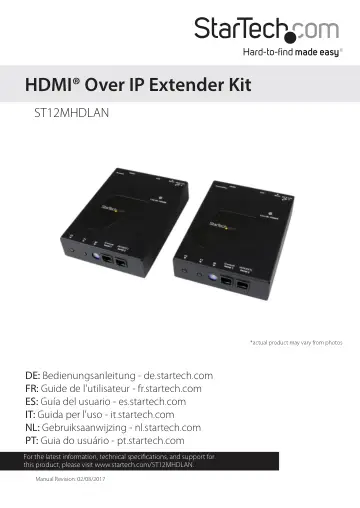
StarTech.com ST12MHDLAN user manual
- Type
- User manual
- Language
- English
- Pages
- 24
- Category
- Home cinema
- Models
- ST12MHDLAN
Open PDFOpens the file on objects.icecat.biz.
Contents
- Introductionp. 4
Packaging contents • 1 x HDMI over IP transmitter • 1 x HDMI over IP receiver • 2 x mounting brackets
- System requirementsp. 4
HDMI enabled video source (i.e. computer, Blu-ray Player) • HDMI enabled display device(s) One for each Receiver (i.e. television, projector) • Available AC…
- Product diagramp. 4
Transmitter unit Front view of transmitter Back view of transmitter 1. F1 2. F2 3. Dip rotary switch 4. Serial control (not active) 5. Serial extension (for…
- Transmitter unitp. 4
Front view of transmitter Back view of transmitter 1. F1 2. F2 3. Dip rotary switch 4. Serial control (not active) 5. Serial extension (for extending RS232…
- Receiver unitp. 5
Front view of receiver Back view of receiver
- Preparing your sitep. 5
Note: The ST12MHDLAN HDMI extender kit can use a Gigabit LAN Network to extend the signal. Most Gigabit Network portals have a cable length restriction of 330…
- Hardware installationp. 6
Video wall or point to multi-point installation with a Gigabit LAN network 1. Install transmitter unit a) Position the Transmitter Unit near the video source…
- Hardware Reset Procedurep. 9
Note: If a video signal does not appear on the display, a hardware reset can be performed on the Transmitter Unit or individual Receiver Units. 1. Press the…
- Software Installationp. 10
The HDMI distribution kit features easy-to-use software for video control that helps you manage your IP video distribution and video wall configuration. The…
- Software operationp. 10
Connecting your transmitters and receivers to the software Note: To ensure the application functions properly, your router must support IGMP snooping. Please…
- Switching your remote displays between video sourcesp. 14
1. Once the application is launched, select the Switches tab.
- Advanced operation and helpp. 20
You can access the software menu from any screen by clicking the menu icon in the top right-hand corner of the application. From the menu you can access each…
- Technical supportp. 23
StarTech.com’s lifetime technical support is an integral part of our commitment to provide industry-leading solutions. If you ever need help with your product…
- Warranty informationp. 23
This product is backed by a two-year warranty. StarTech.com warrants its products against defects in materials and workmanship for the periods noted, following…