Loading manual…
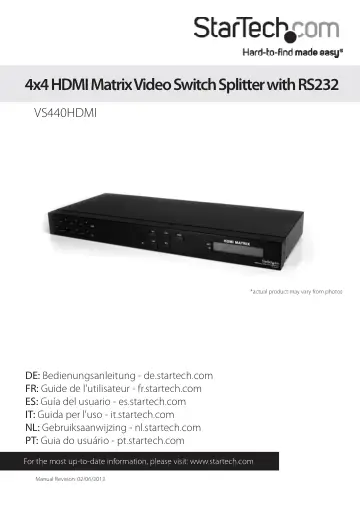
StarTech.com VS440HDMI user manual
- Type
- User manual
- Language
- English
- Pages
- 13
- Category
- Network switches
- Models
- VS440HDMI
Open PDFOpens the file on objects.icecat.biz.
Contents
- Introductionp. 4
The VS440HDMI 4x4 HDMI Matrix Video Switch Splitter with Audio and RS232 allows you to share up to four distinct HDMI or DVI inputs (Using HDMI to DVI adapters…
- System Requirementsp. 4
HDMI enabled video source device(s) (i.e. computer, game console, PVR/DVR, etc) • HDMI enabled display device(s) (i.e. monitor, projector, HDTV, etc) •…
- Front Viewp. 5
- Rear Viewp. 5
- Installationp. 6
Hardware Installation 1. Make sure that all devices are powered off before beginning installation. 2. Connect the HDMI display device(s) to the HDMI Output…
- Hardware Installationp. 6
1. Make sure that all devices are powered off before beginning installation. 2. Connect the HDMI display device(s) to the HDMI Output connectors on the rear of…
- Software Installationp. 6
1. Insert the software installation CD into the computer’s CD/DVD drive. 2. On the CD, in the “AVM” folder, double click the AV Matrix file to start the…
- How to Usep. 7
Front Panel OUT 1~4: Selects the numbered Output Port to be configured. An output must be selected before selecting an input. IN 1~4: Selects the numbered…
- Front Panelp. 7
OUT 1~4: Selects the numbered Output Port to be configured. An output must be selected before selecting an input. IN 1~4: Selects the numbered Input Port to…
- Softwarep. 8
Once the software is installed and the matrix switch is properly connected to the host computer, launch the AV Matrix software to bring up the main control…
- Troubleshootingp. 10
If switching input/output with the front panel keys are not responsive. • Press and hold the key for 2 seconds, then release, instead of just a quick press.…
- Specificationsp. 11
Video Signal High Speed HDMI (HDMI 1.3) Number of Inputs 4 Number of Outputs 4 External Connectors 4 x HDMI type A female (input) 4 x HDMI type A female…
- Technical Supportp. 12
StarTech.com’s lifetime technical support is an integral part of our commitment to provide industry-leading solutions. If you ever need help with your product…
- Warranty Informationp. 12
This product is backed by a two year warranty. In addition, StarTech.com warrants its products against defects in materials and workmanship for the periods…