Loading manual…
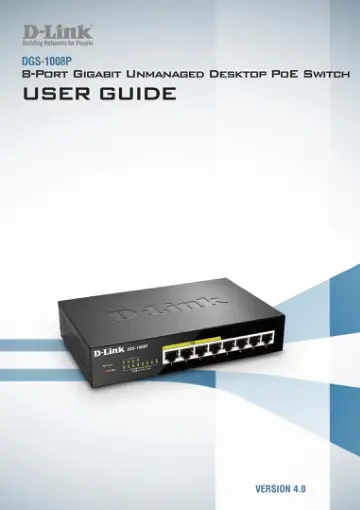
D-Link DGS-1008P user manual
- Type
- User manual
- Languages
- English, Dutch, Spanish, German
- Pages
- 21
- Models
- DGS-1008P
Open PDFOpens the file on objects.icecat.biz.
Contents
- About This Guidep. 3
This guide provides instructions on how to install the D-Link DGS-1008P 8-Port Gigabit Unmanaged Desktop PoE Switch
- Terms/Usagep. 3
In this guide, the term “Switch” (first letter capitalized) refers to the DGS-1008P while “switch” (first letter lower case) refers to other Ethernet switches.…
- Copyright and Trademarksp. 3
Information in this document is subjected to change without notice. © 2016 D-Link Corporation. All rights reserved. Reproduction in any manner whatsoever…
- Product Introductionp. 4
The DGS-1008P Switch provides 8 Gigabit Ethernet ports, 4 of which support Power over Ethernet (PoE) for PoE applications such as powering wireless Access…
- Product Overviewp. 5
Front Panel Figure 1 – DGS-1008P Front Panel Item Description Ports 1 to 4 These are 10/100/1000 Mbps PoE-capable ports, used for connecting Ethernet devices…
- Hardware Installationp. 7
This chapter provides installation information for the D-Link DGS-1008P
- Installation Precautionsp. 7
For safe switch installation and operation, it is recommended to: Visually inspect the DC power jack and make sure that it is fully secured to the power…
- Grounding the Switchp. 7
This section describes how to connect the Switch to ground. It is necessary to complete this procedure before powering on the Switch. Required Tools and…
- Attaching the Rubber Padsp. 7
The DGS-1008P comes with a strip with 4 adhesive rubber pads to place on the bottom of the device to prevent the Switch from damaging the surface it is placed…
- Mounting the Switch on a Wallp. 8
The DGS-1008P can also be mounted to a wall for more convenient placement. Please follow the instructions below for more information on how to mount the device…
- Powering on the Switchp. 8
After connecting the switch to the network using a compatible network cable such as Cat.4/5/5e, simply connect the Switch to a power outlet to activate the…
- Understanding The Switch’s Featuresp. 9
Cable Diagnostics When the DGS-1008P is booting up, the Switch will scan all the ports to determine the status of the cable connections. The diagnosis results…
- Cable Diagnosticsp. 9
When the DGS-1008P is booting up, the Switch will scan all the ports to determine the status of the cable connections. The diagnosis results will be displayed…
- Power over Ethernet (PoE)p. 9
The DGS-1008P supports many PoE features to guarantee the safety and stability of the Switch and the connected powered devices. PoE Power Budget: The total PoE…
- Quality of Service (QoS)p. 9
The DGS-1008P supports 4 levels of transmission queues to prioritize important traffic. The Switch will check the priority tags in the packets and map them…
- Power Savingp. 9
The DGS-1008P supports IEEE 802.3az Energy Efficient Ethernet (EEE), which constantly monitors all ports for data transmission and will put inactive ports in…
- Appendix A - Technical Specificationsp. 10
Hardware Specifications Key Components / Performance Switching Capacity: 16 Gbps Max. Forwarding Rate: 11.90 Mpps Forwarding Mode: Store-and-forward Packet…
- Hardware Specificationsp. 10
Key Components / Performance Switching Capacity: 16 Gbps Max. Forwarding Rate: 11.90 Mpps Forwarding Mode: Store-and-forward Packet Buffer memory: 192 Kbytes…
- Featuresp. 10
General Features Supports up to 4K MAC addresses Jumbo frame: Supports up to 9,720 bytes Supports 802.1p Quality of Service (QoS) with 4 strict queues Cable…
- Appendix B - Regulatory Statementsp. 11
FCC Warning This equipment has been tested and found to comply with the regulations for a Class B digital device, pursuant to Part 15 of the FCC Rules. These…