Loading manual…
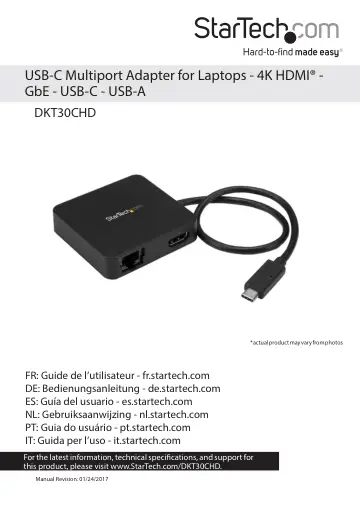
StarTech.com DKT30CHD user manual
- Type
- User manual
- Language
- English
- Pages
- 9
- Category
- Docks & adapters
- Models
- DKT30CHD
Open PDFOpens the file on objects.icecat.biz.
Contents
- Product diagramp. 4
- Front viewp. 4
Rear view Instruction manual 1 Gigabit RJ45 port HDMI port Built-in USB-C host cable USB 3.0 Type-A Port USB 3.0 Type-C Port Connection and activity LEDs
- Rear viewp. 4
Instruction manual 1 Gigabit RJ45 port HDMI port Built-in USB-C host cable USB 3.0 Type-A Port USB 3.0 Type-C Port Connection and activity LEDs
- Introductionp. 5
This USB-C™ multifunction adapter makes your USB-C laptop as powerful as it is portable, by offering support for your Ultra HD 4K monitor, a LAN connection , a…
- Requirementsp. 5
A host laptop computer with: • Windows® 10, 8.1, 8, 7 or macOS 10.12, 10.11, 10.10 • An available USB-C port Note: Operating system requirements are subject to…
- About USB-Cp. 6
Not all USB-C ports support the full functionality of the USB Type-C standard. Some ports might only provide data transfers, and might not support video. For…
- About DP alt mode (DisplayPort alternative mode)p. 6
DP alt mode is a specification that allows a video signal to transfer over USB-C
- About the adapter’s USB-C portp. 6
When the built-in USB-C host cable is connected to a computer it supports data throughput (up to 5Gbps), as well as DP alt mode (video over USB-C). However…
- Install the adapterp. 6
Connect the adapter 1. Connect your HDMI monitor to the adapter’s HDMI port. 2. Connect your peripherals to the adapter (for example, a USB device such as a…
- Connect the adapterp. 6
to a Thunderbolt 3 port. The adapter will connect to the Thunderbolt 3 port at the USB speed of 5Gbps. About DP alt mode (DisplayPort alternative mode) DP alt…
- Install the driversp. 6
Once the adapter is powered and connected to your host laptop, the required drivers automatically install. If the drivers don’t automatically install, follow…
- About the LED indicatorsp. 7
The adapter features two LED indicators: • The LED to the left of the Ethernet port illuminates green to indicate that an RJ-45 Ethernet cable is connected to…
- Technical supportp. 8
StarTech.com’s lifetime technical support is an integral part of our commitment to provide industry-leading solutions. If you ever need help with your product…
- Warranty informationp. 8
This product is backed by a three-year warranty. StarTech.com warrants its products against defects in materials and workmanship for the periods noted…