Loading manual…
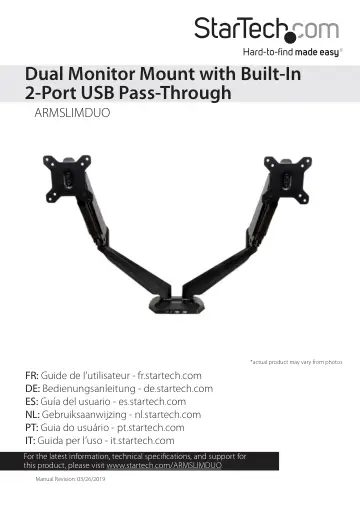
StarTech.com Desk Mount Dual Monitor Arm (ARMSLIMDUO) user manual
- Type
- User manual
- Language
- English
- Pages
- 16
- Category
- Monitors
- Models
- ARMSLIMDUO
Open PDFOpens the file on objects.icecat.biz.
Contents
- Introductionp. 3
You can use the ARMSLIMDUO to mount two displays on your desk and take advantage of the full-motion articulation and the cable-management system that comes…
- Product diagramp. 5
VESA monitor mounts Mounting arms Cable cover Cable cover Close-up view of the base Audio port USB A pass-through ports Microphone port Cable cover Cable cover
- Product dimensionsp. 6
- Technical specificationsp. 7
The ARMSLIMDUO can support up to 8.0 kg (17.6 lb) of weight per mounting arm. The desk clamp can support a maximum thickness of 90 mm (3.54 in.)
- Assemble the ARMSLIMDUOp. 7
Warning! Make sure that all of the hardware is assembled securely and checked for stability before you load the monitors. Note: You will need a Phillips…
- Attach the desk clamps to the mounting armsp. 7
1. Line up the four holes in one of the desk clamps (upper bracket) (2) with one set of four holes on the underside of the mounting arm (1). 2. Insert four of…
- Attach the mounting arm to a desk or tablep. 9
1. Turn the hand screws on the desk clamps (lower bracket) (3) counterclockwise until you reach the thickness of the desk or table. (figure 4) 2. Slide the…
- Attach the monitors to the VESA monitor mountsp. 10
Warning! To prevent scratching during the installation process, you should handle the surface of the monitors with care. Do one of the following: • To install…
- Attach the VESA monitor mounts to the mounting armp. 11
1. Slide one of the VESA monitor mounts (4) with the monitor attached into the slot on one of the mounting arms (1). (figure 7) 2. Repeat step 1 for the second…
- Route the cablesp. 13
Make sure that the cables that you’re routing are unplugged before you complete the following steps. 1. Remove the cable covers from the spring mounting arms.…
- Manage your cablesp. 14
You can use the integrated pass-through ports on the ARMSLIMDUO to conveniently extend your computer connections to the base of the monitor mount and keep your…
- Technical supportp. 15
StarTech.com’s lifetime technical support is an integral part of our commitment to provide industry-leading solutions. If you ever need help with your product…
- Warranty informationp. 15
This product is backed by a two-year warranty. StarTech.com warrants its products against defects in materials and workmanship for the periods noted, following…