Loading manual…
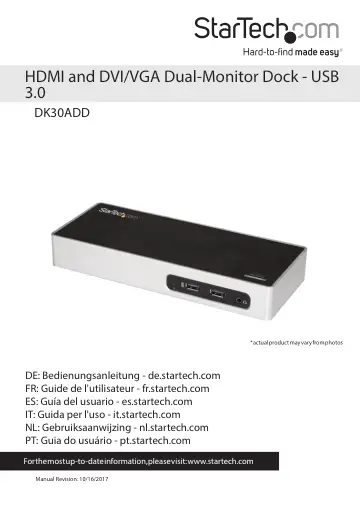
StarTech.com DK30ADD user manual
- Type
- User manual
- Language
- English
- Pages
- 10
- Category
- Monitors
- Models
- DK30ADD
Open PDFOpens the file on objects.icecat.biz.
Contents
- Introductionp. 4
- Requirementsp. 4
A computer system with: USB 3.0 Windows 7 (32-bit and 64-bit) Windows 8.1 (32-bit and 64-bit) Windows 10 (32-bit and 64-bit) macOS El Capitan 10.11 macOS…
- Front Viewp. 5
Rear View 3.5 mm audio port Power LED USB 3.0 ports USB 3.0 ports HDMI output port DVI-I output port RJ-45 LAN Port USB-B 3.0 host port DC input Power switch…
- Rear Viewp. 5
3.5 mm audio port Power LED USB 3.0 ports USB 3.0 ports HDMI output port DVI-I output port RJ-45 LAN Port USB-B 3.0 host port DC input Power switch USB 3.0…
- About USB 3.0 and USB 3.1 Gen 1p. 6
USB 3.0 is also known as USB 3.1 Gen 1. This connectivity standard offers speeds up to 5Gbps
- About the docking station portsp. 6
The USB 3.0 ports on the on the docking station (one on the front and three on the rear) are standard USB 3.0 throughput ports. When the dock is connected to a…
- About installationp. 6
Depending on the version of operating system that you’re currently running and whether your network connection is active, the docking station might…
- Install the hardwarep. 7
1. Select the appropriate regional clip and connect the power adapter to an AC electrical outlet. 2. Connect the power adapter to the DC input on the docking…
- Configure a display devicep. 8
You can use your computer’s operating system to configure a display device
- Use Windows to configure your display devicesp. 8
1. Right-click on some empty space on your Windows Desktop and select Screen Resolution from the menu that appears. 2. Adjust the display order, screen…
- Supported resolutionsp. 8
The following resolutions are supported on each display that’s connected through the docking station: 2048x1152, 1920x1080, 1680x1050, 1366x768, 1280x800…
- LED indicatorp. 8
There is an LED indicator located on the front of the docking station. For more information about what the LED behavior indicates, see the table below. LED…
- Technical Supportp. 9
StarTech.com’s lifetime technical support is an integral part of our commitment to provide industry-leading solutions. If you ever need help with your product…
- Warranty Informationp. 9
This product is backed by a three year warranty. In addition, StarTech.com warrants its products against defects in materials and workmanship for the periods…