Loading manual…
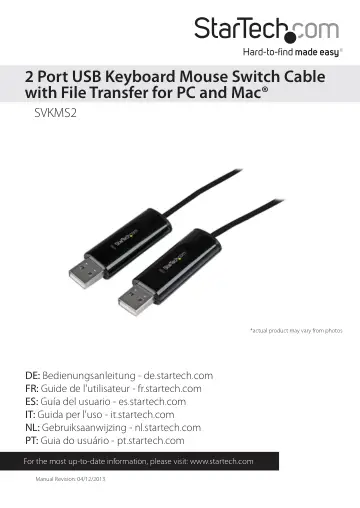
StarTech.com SVKMS2 user manual
- Type
- User manual
- Language
- English
- Pages
- 16
- Category
- Network switches
- Models
- SVKMS2
Open PDFOpens the file on objects.icecat.biz.
Contents
- Introductionp. 4
Control and transfer files between two Windows® and/or Mac® systems using a single keyboard and mouse. Packaging Contents • Keyboard Mouse Sharing Cable •…
- System Requirementsp. 4
USB enabled computer systems with available USB 2.0 ports • Keyboard and mouse/touchpad connected to one of the computers • Video display (i.e. monitor)…
- Installationp. 5
Windows 1. Choose one of the two computers, as the “Primary” computer. This computer must have a keyboard and mouse directly connected to it. 2. Connect each…
- Windowsp. 5
1. Choose one of the two computers, as the “Primary” computer. This computer must have a keyboard and mouse directly connected to it. 2. Connect each end of…
- Macp. 7
- Usage Instructionsp. 9
Keyboard and Mouse Sharing • Once installed, you can move your cursor between two computers naturally. The correct side of the other computer can be adjusted…
- Keyboard and Mouse Sharingp. 9
Once installed, you can move your cursor between two computers naturally. The correct side of the other computer can be adjusted by Right-clicking the icon and…
- Clipboard Sharingp. 9
To share the clipboard contents between systems, simply Copy the selected content on the 1st computer and Paste it on 2nd computer. When receiving clipboard…
- File Transferringp. 10
To transfer files, you can: • Drag & Drop the desired file or folder to the other computer. • Copy the selected file on the 1st computer and Paste it on the…
- Configuration Settingsp. 10
Click the SVKMS2 Utility Icon to view the available menu options. Settings will be saved even if the connected computers are restarted.
- Preferences Menup. 12
Select Preferences from the SVKMS2 context menu, the window below will display. Windows MAC OS
- Keyboard & Mouse Control Switching Settingsp. 13
Turn Off: Disables Keyboard and Mouse Control Switching • Use Mouse to Move Off the Edge of Screen: Enables moving the mouse off the edge of the screen to…
- Clipboard Share Optionsp. 13
Turn Off: Disable clipboard sharing • Auto Share: Enable clipboard sharing
- Event Notification (*Windows only)p. 13
This option allows you to set the type of notification you receive when Clipboard Data is arriving / sending or when switching the control of the keyboard and…
- Othersp. 13
Show Connection Information: Enable/disable the launch page when SVKMS2 loads • Resident This Application: Choose to automatically set up every time when…
- Specificationsp. 14
Number of Ports 2 Connectors 2x USB Type A Male LEDs 2x Power/Link Switching Methods Mouse Movement, Hotkey, Mouse Center Button (Windows) Chipset ID MCT-WH88…
- Technical Supportp. 15
StarTech.com’s lifetime technical support is an integral part of our commitment to provide industry-leading solutions. If you ever need help with your product…
- Warranty Informationp. 15
This product is backed by a two year warranty. In addition, StarTech.com warrants its products against defects in materials and workmanship for the periods…