Loading manual…
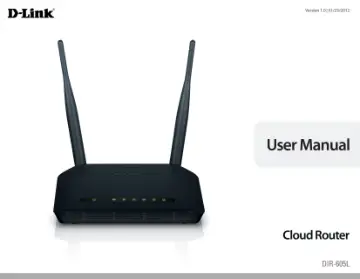
D-Link Wireless N300 Cloud Router (DIR-605L) user manual
- Type
- User manual
- Language
- English
- Pages
- 93
- Category
- Routers & Wi-Fi
- Models
- DIR-605L
Open PDFOpens the file on objects.icecat.biz.
Contents
- Prefacep. 2
- Manual Revisionsp. 2
Trademarks D-Link and the D-Link logo are trademarks or registered trademarks of D-Link Corporation or its subsidiaries in the United States or other…
- Trademarksp. 2
D-Link and the D-Link logo are trademarks or registered trademarks of D-Link Corporation or its subsidiaries in the United States or other countries. All other…
- System Requirementsp. 5
Package Contents Note: Using a power supply with a different voltage rating than the one included with the DIR-605L will cause damage and void the warranty for…
- Featuresp. 6
a new cloud service that pushes information such as firmware upgrade notifications, user activity, and intrusion alerts to the mydlink™ app on Android and…
- Hardware Overviewp. 7
Connections 1 LAN Ports (1-4) Connect 10/100 Ethernet devices such as computers, switches, cameras, and network storage devices (NAS). 2 Internet Port Connect…
- Installationp. 9
Before you Begin Installation This section will walk you through the installation process. Placement of the router is very important. Do not place the router…
- Before you Beginp. 9
Installation This section will walk you through the installation process. Placement of the router is very important. Do not place the router in an enclosed…
- Wireless Installation Considerationsp. 10
The D-Link wireless router allows you access your network using a wireless connection from virtually anywhere within the operating range of your wireless…
- Manual Setupp. 11
5V RESET 1A INTERNET 1 2 LAN 3 4 For best results, place the router in an open area of your intended work area for better wireless coverage. Please use the…
- Configurationp. 13
There are a couple different ways you can configure your router to connect to the Internet and connect to your clients: • D-Link
- Easy Setup Wizardp. 13
This wizard will launch if you log into the router for the first time. See below. • Manual Setup - Log into the router and manually configure your router…
- Web-based Configuration Utilityp. 18
To access the configuration utility, open a web-browser such as Internet Explorer and enter the IP address of the router (http://192.168.0.1). Windows and Mac…
- Connect a Wireless Client to your Routerp. 57
WPS Button Step 2 - Within 2 minutes, press the WPS button on your wireless client (or launch the software utility and start the WPS process). The easiest and…
- WPS Buttonp. 57
Step 2 - Within 2 minutes, press the WPS button on your wireless client (or launch the software utility and start the WPS process). The easiest and most secure…
- Windows® 7p. 58
It is recommended to enable wireless security (WPA/WPA2) on your wireless router or access point before configuring your wireless adapter. If you are joining…
- Windows Vista®p. 65
users may use the built-in wireless utility. If you are using another company’s utility, please refer to the user manual of your wireless adapter for help with…
- Windows® XPp. 69
users may use the built-in wireless utility (Zero Configuration Utility). The following instructions are for Service Pack 2 users. If you are using another…
- Troubleshootingp. 72
This chapter provides solutions to problems that can occur during the installation and operation of the DIR-605L. Read the following descriptions if you are…
- Wireless Basicsp. 76
D-Link wireless products are based on industry standards to provide easy-to-use and compatible high-speed wireless connectivity within your home, business or…
- What is Wireless?p. 77
Wireless or Wi-Fi technology is another way of connecting your computer to the network without using wires. Wi-Fi uses radio frequency to connect wirelessly…
- Tipsp. 79
to help you through the process of setting up a wireless network. Tips Here are a few things to keep in mind, when you install a wireless network. Centralize…
- Wireless Modesp. 80
- Networking Basicsp. 81
Check your IP address After you install your new D-Link adapter, by default, the TCP/IP settings should be set to obtain an IP address from a DHCP server (i.e.…
- Check your IP addressp. 81
After you install your new D-Link adapter, by default, the TCP/IP settings should be set to obtain an IP address from a DHCP server (i.e. wireless router)…
- Statically Assign an IP addressp. 82
If you are not using a DHCP capable gateway/router, or you need to assign a static IP address, please follow the steps below: Step 1 Windows® 7 - Click on…
- Technical Specificationsp. 83
- Contacting Technical Supportp. 85
U.S. and Canadian customers can contact D-Link technical support through our web site or by phone. Before you contact technical support, please have the…
- Warrantyp. 86
Subject to the terms and conditions set forth herein, D-Link Systems, Inc. (“D-Link”) provides this Limited Warranty: • Only to the person or entity that…
- Registrationp. 93
is entirely voluntary and failure to complete or return this form will not diminish your warranty rights. Registration