Loading manual…
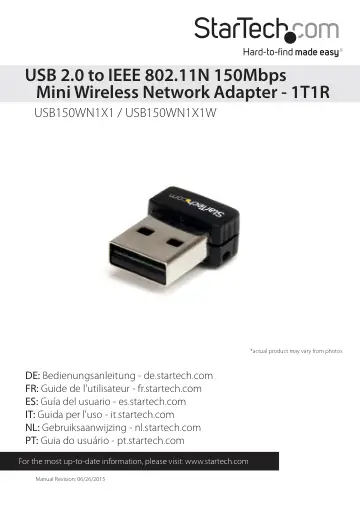
StarTech.com USB 150Mbps Mini Wireless N Network Adapter (USB150WN1X1W) user manual
- Type
- User manual
- Language
- English
- Pages
- 11
- Category
- Docks & adapters
- Models
- USB150WN1X1
Open PDFOpens the file on objects.icecat.biz.
Contents
- Introductionp. 5
The USB150WN1X1 / USB150WN1X1W USB 802.11N Mini Wireless Network Adapter allows almost any USB-enabled desktop, laptop or netbook computer system to connect to…
- System Requirementsp. 5
USB enabled computer system with available USB port • Microsoft® Windows® XP/Vista/7/8/Server 2003/Server 2008 R2/ Server 2012 (32/64bit), or Apple® Mac OS®…
- Installationp. 6
Driver Installation NOTE: Install the drivers/software before plugging in the USB adapter. Windows XP/Server 2003 1. Upon starting Windows, before plugging in…
- Driver Installationp. 6
NOTE: Install the drivers/software before plugging in the USB adapter. Windows XP/Server 2003 1. Upon starting Windows, before plugging in the wireless…
- How to Usep. 8
Wireless LAN Utility The optional Realtek Wireless LAN Utility can be used to replace or supplement the Windows wireless configuration utility. All features of…
- Wireless LAN Utilityp. 8
The optional Realtek Wireless LAN Utility can be used to replace or supplement the Windows wireless configuration utility. All features of the Windows utility…
- Wi-Fi Protected Setup (WPS)p. 9
WPS is an easy way for anyone to automatically setup a secure wireless network on a Windows-based computer. A WPS compatible wireless access point (AP) is…
- Push Button Configurationp. 9
1. Once the adapter is connected and installed on the computer system, press the WPS button on the tip of the wireless adapter. 2. Press the WPS button on the…
- PIN Input Configurationp. 9
1. Launch the Realtek Wireless utility and under the “Wi-Fi Protect Setup” tab will be a “PIN Input” button. 2. Press the button the generate a PIN code. 3.…
- Technical Supportp. 10
StarTech.com’s lifetime technical support is an integral part of our commitment to provide industry-leading solutions. If you ever need help with your product…
- Warranty Informationp. 10
This product is backed by a two year warranty. In addition, StarTech.com warrants its products against defects in materials and workmanship for the periods…