Loading manual…
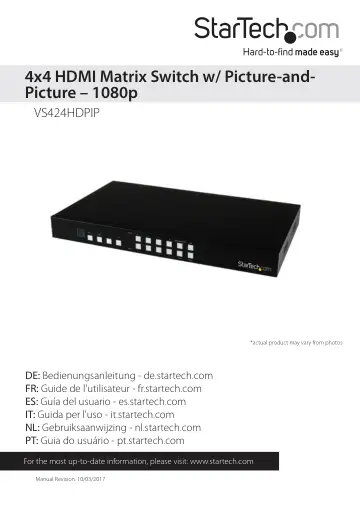
StarTech.com VS424HDPIP user manual
- Type
- User manual
- Language
- English
- Pages
- 23
- Category
- Commercial displays
- Models
- VS424HDPIP
Open PDFOpens the file on objects.icecat.biz.
Contents
- Introductionp. 4
Packaging Contents • 1 x HDMI matrix switch • 1 x remote control • 2 x mounting brackets • 1 x universal power adapter (NA, EU, UK, ANZ) • 1 x instruction…
- System Requirementsp. 4
Up to 4 x HDMI-enabled Video Source Devices (i.e. computer, Blu-ray Player) • Up to 4 x HDMI-enabled Display Devices (i.e. television, projector) • Up to 8 x…
- Product Diagramp. 5
- Front Viewp. 5
Rear View 1. IR Sensor 2. Power Button / LED 3. Menu Button / LED 4. Menu Operation Buttons / LEDs 5. Output Selection Buttons / LEDs 6. Input Selection…
- Rear Viewp. 5
1. IR Sensor 2. Power Button / LED 3. Menu Button / LED 4. Menu Operation Buttons / LEDs 5. Output Selection Buttons / LEDs 6. Input Selection Buttons / LEDs…
- Hardware Installationp. 6
1. Connect up to four HDMI cables (not included) from each of your HDMI video source devices (i.e. computers, Blu-ray Players) to each of the HDMI input ports…
- Hardware Operationp. 6
Matrix Operation 1. Press the Mode button repeatedly until the Mode LED is solid to indicate Matrix Mode. 2. Press the Output select button (that corresponds…
- Matrix Operationp. 6
1. Press the Mode button repeatedly until the Mode LED is solid to indicate Matrix Mode. 2. Press the Output select button (that corresponds with the lettered…
- TV Wall Mode Operationp. 7
1. Press the Mode button repeatedly until the LED is blinking to indicate TV Wall Mode. 2. Press the input select button (that corresponds with the numbered…
- On Screen Display Menup. 7
The OSD menu gives you access to advanced functionality. The below table lists each OSD menu option. The description field outlines the functionality of each…