Loading manual…
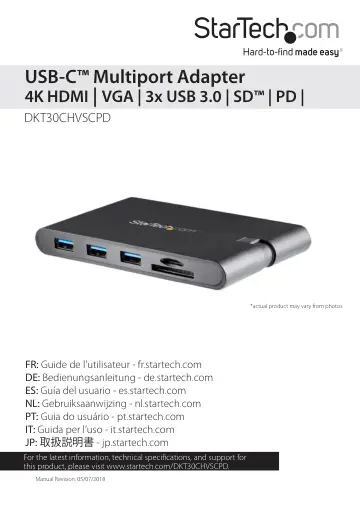
StarTech.com DKT30CHVSCPD user manual
- Type
- User manual
- Language
- English
- Pages
- 15
- Category
- Docks & adapters
- Models
- DKT30CHVSCPD
Open PDFOpens the file on objects.icecat.biz.
Contents
- Product Diagramp. 5
- Front Viewp. 5
Rear View Micro SD Card Slot USB-A Ports SD Card Slot HDMI Port VGA Port RJ45 Port USB-C Port (PD Charging)
- Rear Viewp. 5
Micro SD Card Slot USB-A Ports SD Card Slot HDMI Port VGA Port RJ45 Port USB-C Port (PD Charging)
- Connector Viewp. 6
USB-C Connector (Host)
- Product Informationp. 7
Package Contents • 1 x Multiport Adapter • 1 x User Manual
- Requirementsp. 7
Host (Computer): • USB-C Port (for full Multiport Adapter functionality the port must support USB Power Delivery 3.0 and DP Alt Mode) • (Optional) Video Card…
- Powering the Multiport Adapterp. 8
USB Power Delivery 3.0 Fast Role Swap: A Fast Role Swap function is available when using Power Delivery 3.0. This function prevents USB data disruption when…
- USB Power Delivery 3.0p. 8
Fast Role Swap: A Fast Role Swap function is available when using Power Delivery 3.0. This function prevents USB data disruption when switching power sources…
- Connecting the Multiport Adapterp. 9
USB-A Ports The USB-A Ports can be used as charging ports (e.g. cell phone, laptop, tablet, etc.), or to connect a USB storage device (e.g. Flash Drive) or…
- USB-A Ports (Front)p. 9
- HDMI Port (Back)p. 9
- VGA Port (Back)p. 9
- RJ45 Port (Back)p. 10
User Manual 6 RJ45 Port 1. Connect a CAT5e/CAT6 cable to the RJ45 port on the Multiport Adapter. 2. Connect the CAT5e/CAT6 cable’s other RJ45 connector to an…
- Inserting an SD Cardp. 10
1. Insert an SD Card label side down into the SD Card Slot on the Multiport Adapter. Note: The host computer’s Operating System (OS) will automatically detect…
- Inserting a Micro SD Cardp. 10
1. Insert a Micro SD Card label side up into the Micro SD Card Slot on the Multiport Adapter and push the Micro SD Card into the Micro SD Card Slot until it…
- Removing an SD Card or Micro SD Cardp. 10
Warning: Removal of the SD or Micro SD Card before it is safe could result in the loss or corruption of data on the SD Card. Windows 1. Click on the Up arrow…
- Physically Removing an SD Cardp. 11
Pull the SD Card out of the SD Card Slot on the Multiport Adapter
- Physically Removing a Micro SD Cardp. 11
1. Push the Micro SD Card into the Multiport Adapter until the Micro SD Card clicks. The Micro SD Card will be ejected from the Micro SD Card Slot. 2. Once the…
- Additional Informationp. 11
Installing the Driver If the required driver does not automatically install after connecting the Multiport Adapter to the host computer, complete the driver…
- Installing the Driverp. 11
If the required driver does not automatically install after connecting the Multiport Adapter to the host computer, complete the driver installation manually…
- Video Resolutionp. 12
HDMI Port • Max resolution 4096 x 2160 @ 30Hz VGA Port • Max resolution 1920 x 1200 @ 60Hz
- Configuring a Displayp. 12
Video output capabilities are dependent on the video card and hardware specifications of your connected Host computer. Note: Navigating to the Settings screen…
- Display Preferencep. 12
s screen. 3. On the Display Preference screen, you can configure your system’s display setting. Display Preferences Some display preferences are for multiple…
- Troubleshootingp. 13
Reactivating an SD Card Autoplay/Autorun Function Depending on the host computer’s OS, the SD Card Configuration screen may appear, giving you several…
- Product Supportp. 14
Technical Support StarTech.com’s lifetime technical support is an integral part of our commitment to provide industry-leading solutions. If you ever need help…
- Technical Supportp. 14
StarTech.com’s lifetime technical support is an integral part of our commitment to provide industry-leading solutions. If you ever need help with your product…
- Warranty Informationp. 14
This product is backed by a three-year warranty. StarTech.com warrants its products against defects in materials and workmanship for the periods noted…
- Limitation of Liabilityp. 14
In no event shall the liability of StarTech.com Ltd. and StarTech.com USA LLP (or their officers, directors, employees or agents) for any damages (whether…