Loading manual…
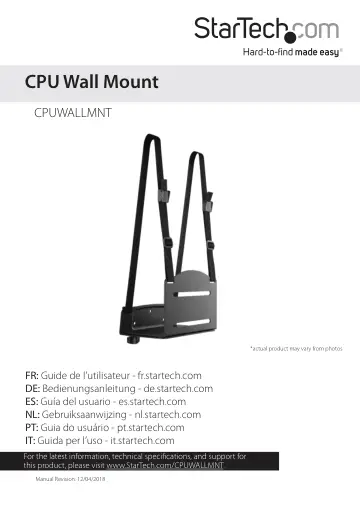
StarTech.com CPU Mount - Adjustable Computer Wall Mount (CPUWALLMNT) user manual
- Type
- User manual
- Languages
- English, Spanish, German
- Pages
- 18
- Category
- PC components
- Models
- CPUWALLMNT
Open PDFOpens the file on objects.icecat.biz.
Contents
- Product dimensionsp. 6
min 122 mm (5 in.) to max 212 mm (8 in.) 235 mm (9 in.) 990 mm (39 in.)
- Product diagramsp. 7
Thumbscrew Mounting holes Strap slot Strap slot Strap slot Front bracket Rear bracket Front bracket Adjustable straps CPU (not included)
- Requirementsp. 9
Wrench Requirements are subject to change. For the latest requirements, please visit www.StarTech.com/CPUWALLMNT
- Disassemble the CPU mountp. 9
1. Use a wrench to remove the two M6 nuts from the bottom of the CPU mount. (figure 1) Note: You can discard the M6 nuts because you won’t need to use them to…
- Mount the rear bracket to the wallp. 10
Warning! Wall structures vary, and it is important to make sure that the type of structure and mounting hardware that you are using will properly support the…
- Reassemble the CPU mountp. 13
1. Take the washers that you removed when you disassembled the CPU mount and thread them onto the bolts in the front bracket. 2. Place the bolts in the front…
- Position the adjustable strapsp. 14
1. Thread the end of one of the adjustable straps through the corresponding strap slot on the front bracket. 2. Fold the adjustable strap back on itself and…
- Insert the CPUp. 15
Warning! Do not exceed the weight capacity of this product. Overloading this product might result in injury or property damage. This product can support the…
- Technical supportp. 17
StarTech.com’s lifetime technical support is an integral part of our commitment to provide industry-leading solutions. If you ever need help with your product…
- Warranty informationp. 17
This product is backed by a five-year warranty. StarTech.com warrants its products against defects in materials and workmanship for the periods noted…