Loading manual…
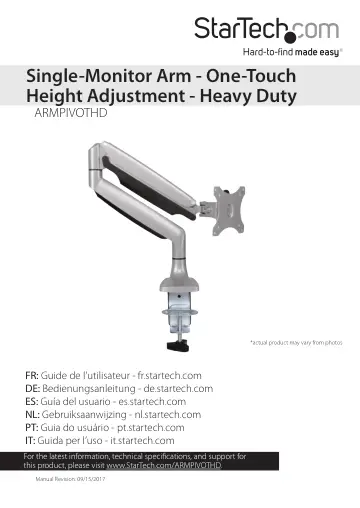
StarTech.com Desk Mount Monitor Arm (ARMPIVOTHD) user manual
- Type
- User manual
- Language
- English
- Pages
- 27
- Category
- Monitors
- Models
- ARMPIVOTHD
Open PDFOpens the file on objects.icecat.biz.
Contents
- Introductionp. 5
The ARMPIVOTHD is a heavy duty single-monitor arm that you can use to mount monitors up to 813 mm (32 in.) in size and 9 kg (19.8 lb.) in weight. The height of…
- Product diagramp. 5
VESA monitor mount Spring arm Desk clamp Hex key holder Lower cable cover Upper cable cover
- Product dimensionsp. 6
mm 100 mm 115 mm 75 mm 100 mm 115 mm min 170 mm to max 505 mm 80 mm min 255 mm to max 315 mm 210 mm min 10 mm to max 85 mm 100 mm
- Technical specificationsp. 7
Type of measurement Measurement VESA mounting hole pattern 75x75 100x100 Weight capacity Up to 9 kg (19.8 lb.) Tilt +900 to -900 Screen size Maximum 813 mm (32…
- Requirementsp. 11
A monitor or display that’s compatible with a VESA mount • A Phillips screwdriver Requirements are subject to change. For the latest requirements, please visit…
- Assemblyp. 12
Attach the ARMPIVOTHD to your mounting surface You can use either the desk clamp or grommet mount to attach the ARMPIVOTHD to your mounting surface. Use the…
- Attach the ARMPIVOTHD to your mounting surfacep. 12
You can use either the desk clamp or grommet mount to attach the ARMPIVOTHD to your mounting surface. Use the desk clamp to attach the ARMPIVOTHD Warning! Make…
- Attach a monitorp. 18
Warning! Attaching a monitor is a two-person job. Do not attempt to complete this task by yourself. To accommodate different monitor designs, the ARMPIVOTHD…
- Adjust the spring armp. 20
You need to adjust the spring arm in two places. 1. To increase or decrease the tension in the spring arm (1), hold down the spring arm so that it is straight…
- Route your cablesp. 22
1. On the bottom portion of the spring arm (1), slide the cable cover up and away from the spring arm. (figure 16) 2. On the upper portion of the spring arm…
- Adjust the position of ARMPIVOTHDp. 25
You can adjust ARMPIVOTHD in the following ways: 180° 180° +90° -90° 360° 270°
- Technical supportp. 26
StarTech.com’s lifetime technical support is an integral part of our commitment to provide industry-leading solutions. If you ever need help with your product…
- Warranty informationp. 26
This product is backed by a two-year warranty. StarTech.com warrants its products against defects in materials and workmanship for the periods noted, following…