Loading manual…
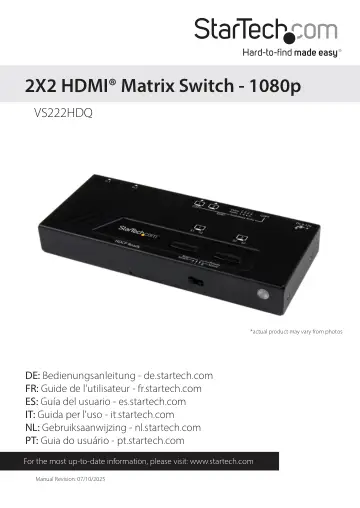
StarTech.com VS222HDQ user manual
- Type
- User manual
- Language
- English
- Pages
- 12
- Category
- Network switches
- Models
- VS222HDQ
Open PDFOpens the file on objects.icecat.biz.
Contents
- Product Diagramp. 4
Mode Selection Switch HDMI Input #1 LED Port Selection Indicator HDMI Input #2 Manual Switch #1 HDMI Output Manual Switch #2 EDID Port Selection Switch EDID…
- Introductionp. 5
Packaging Contents • 1x HDMI® Matrix Switch • 1x Universal Power Adapter (NA, EU, UK, ANZ) • 1x Remote control • 1x Mounting kit • 1x Foot pad set • 1x…
- System Requirementsp. 5
2x Video source devices (i.e. computer, Blu-ray Player) • 2x HDMI® enabled display device (i.e. television, projector) • 4x M/M HDMI® cables
- Hardware Installationp. 6
1. Connect two HDMI® cables (not included) from each of the HDMI® Output ports on the switch to each of the HDMI® enabled display devices (i.e. televisions…
- Hardware Operationp. 6
Mode Selection Change the mode selection switch to select your desired operation mode. Instructions for operating each mode are listed below
- Mode Selectionp. 6
Change the mode selection switch to select your desired operation mode. Instructions for operating each mode are listed below
- Manual Modep. 6
Using Manual Mode both displays show whichever port is selected. 1. Press the Manual switch to switch between input devices from 1 to 2. 2. The LED Port…
- Priority Modep. 6
Using the Priority switch feature, you can automatically switch between which video source is displayed on both screens simply by turning off and on the…
- Matrix Modep. 7
allows you to output either video source to one of both of the displays. Each display is represented by each of the Manual Switches. 1. Press Manual Switch #1…
- EDID Copyp. 7
EDID allows the video source to output the most ideal signal to the video display. The “EDID Copy” function on the HDMI® switch ensures that EDID is still…
- EDID Copy Positionsp. 7
Position Description 1 Off 2 EDID audio copy only 3 EDID video copy only 4 EDID video and audio copy
- EDID Copy Setupp. 7
1. Set the EDID Copy switch to your desired EDID copy position. 2. Press and hold the “EDID copy” button for 3 to 5 seconds until the LEDs flash. 3. EDID is…
- Adjust Video Equalizationp. 8
To optimize the sharpness of both video output ports, the switch features adjustable video Equalization. Follow the steps below to adjust the equalization for…
- Remote Controlp. 9
Auto/Priority/Manual Mode Press 1, or 2 to switch between Input source #1, or Input source #2 respectively. Matrix Mode 1. Output #1: To switch between video…
- Specificationsp. 10
Input Ports 2 Ouput Ports 2 AV Input HDMI® AV Output HDMI® Audio Yes Max Distance 10m / 33ft Max Resolution 1080p Wide Screen Supported Yes
- Technical Supportp. 11
StarTech.com’s lifetime technical support is an integral part of our commitment to provide industry-leading solutions. If you ever need help with your product…
- Warranty Informationp. 11
This product is backed by a two year warranty. In addition, StarTech.com warrants its products against defects in materials and workmanship for the periods…