Loading manual…
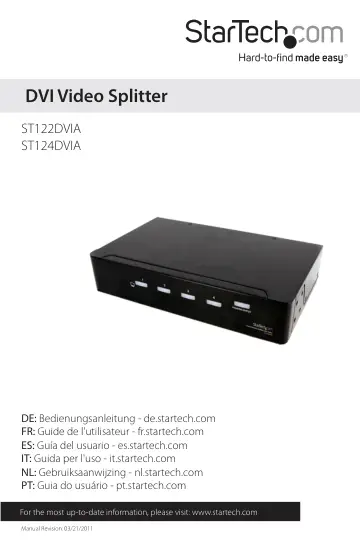
StarTech.com ST122DVIA user manual
Open PDFOpens the file on objects.icecat.biz.
Contents
- Introductionp. 4
The StarTech.com DVI Splitter with Audio lets you share one DVI video and audio source on two (ST122DVIA) or four (ST124DVIA) displays and also act as a signal…
- System Requirementsp. 4
DVI enabled video source • DVI enabled display devices • Analog stereo audio source with 3.5mm mini-plug interface (optional) • Analog stereo speakers with…
- Top View - ST122DVIAp. 5
Rear View - ST122DVIA Power connector Power/Input signal LED Output 1 LED Output 2 LED
- Rear View - ST122DVIAp. 5
Power connector Power/Input signal LED Output 1 LED Output 2 LED
- Front View - ST124DVIAp. 6
Rear View - ST124DVIA
- Rear View - ST124DVIAp. 6
- Installationp. 7
Hardware Installation 1. Make sure all devices are powered off and unplugged. 2. Connect the DVI video source (i.e. computer, HDTV box, etc.) to the Input…
- Hardware Installationp. 7
1. Make sure all devices are powered off and unplugged. 2. Connect the DVI video source (i.e. computer, HDTV box, etc.) to the Input connector on the splitter…
- Driver Installationp. 8
No driver installation is required to use the DVI video splitter, as it is an external, hardware-only device, that will not be seen by the host system.
- Specificationsp. 9
ST122DVIA ST124DVIA Video Signal DVI-D (digital) Number of Ports 2 4 Connectors 3 x 24-pin DVI-I 3 x 3.5mm mini-jack 1 x DC Power 5 x 24-pin DVI-I 5 x 3.5mm…
- Technical Supportp. 10
StarTech.com’s lifetime technical support is an integral part of our commit-ment to provide industryleading solutions. If you ever need help with your product…
- Warranty Informationp. 10
This product is backed by a one year warranty. In addition, StarTech.com warrants its products against defects in materials and workmanship for the periods…