Loading manual…
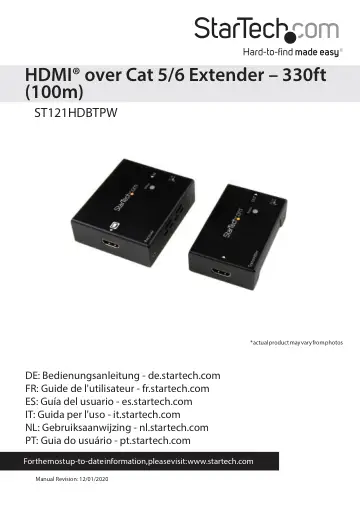
StarTech.com ST121HDBTPW user manual
- Type
- User manual
- Language
- English
- Pages
- 11
- Models
- ST121HDBTPW
Open PDFOpens the file on objects.icecat.biz.
Contents
- Product Diagramp. 4
- Front Viewp. 4
Rear View HDMI® in port HDMI® out port Status (Power) LED Status (Power) LED Receiver Receiver Transmitter Transmitter Power Jack Link (RJ-45 Connector)…
- Rear Viewp. 4
HDMI® in port HDMI® out port Status (Power) LED Status (Power) LED Receiver Receiver Transmitter Transmitter Power Jack Link (RJ-45 Connector) Optional…
- Introductionp. 5
Packaging Contents • 1x HDMI extender • 1x HDMI receiver • 4x mounting brackets • 2x foot pad set • 1x universal power adapter (NA / EU / UK / AU) • 2x…
- System Requirementsp. 5
HDMI® enabled video source device (i.e. computer, Blu-ray Player) • HDMI enabled display device (i.e. television, projector) • Available AC electrical outlet…
- About LED indicatorsp. 6
Both the transmitter and receiver feature LED indicators located on the top of the units. For more information about what the LEDs signify, consult the table…
- Installationp. 7
1. Determine where the local video source (i.e. computer, Blu-ray Player) will be located and set up the device. 2. Determine where the remote display will be…
- Hardware Installationp. 7
ensure both transmitter and receiver are properly grounded. Hardware Installation 1. Install transmitter unit a) Position the transmitter unit near the video…
- Specificationsp. 9
Local Unit Connectors 1x HDMI® (19 pin) Female 1x RJ-45 Female Remote Unit Connectors 1x HDMI® (19 pin) Female 1x RJ-45 Female Maximum Data Transfer Rate HDMI®…
- Technical Supportp. 10
StarTech.com’s lifetime technical support is an integral part of our commitment to provide industry-leading solutions. If you ever need help with your product…
- Warranty Informationp. 10
This product is backed by a two year warranty. In addition, StarTech.com warrants its products against defects in materials and workmanship for the periods…