Loading manual…
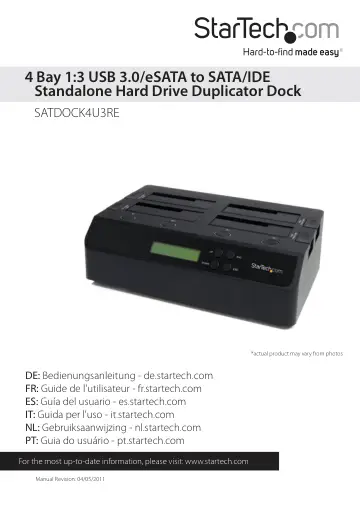
StarTech.com 4-Bay Hard Drive Duplicator and Eraser (SATDOCK4U3RE) user manual
- Type
- User manual
- Language
- English
- Pages
- 12
- Category
- Storage & drives
- Models
- SATDOCK4U3RE
Open PDFOpens the file on objects.icecat.biz.
Contents
- Introductionp. 4
The SATDOCK4U3RE USB 3.0 and eSATA Standalone 1-to-3 Hard Drive Duplicator allows for a single SATA hard drive to be duplicated/cloned on up to three other…
- System Requirementsp. 4
Available USB and/or eSATA* port(s) on computer system *eSATA port requires Port Multiplier support • Available AC electrical outlet • Microsoft® Windows®…
- Front Viewp. 5
- Rear Viewp. 5
- Installationp. 6
WARNING! Hard drives and storage enclosures require careful handling, especially when being transported. If you are not careful with your hard disk, lost data…
- Hardware Installation (Docking Station/PC Mode)p. 6
1. Connect the external power adapter from the hard drive docking station to an AC power outlet. 2. Insert 2.5in or 3.5in hard drive(s) into the top loading…
- Hardware Installation (Duplicator)p. 7
- Driver Installationp. 7
No driver installation is required for the supported operating systems, as this hard drive dock is natively supported, so the drivers are already installed.
- How to Usep. 8
Menu Options 1. Copy HDD Perform a 1:1 sector clone from the Source disk to the Destination disks. Each disk sector on the Source disk will be copied…
- Menu Optionsp. 8
1. Copy HDD Perform a 1:1 sector clone from the Source disk to the Destination disks. Each disk sector on the Source disk will be copied, regardless if it…
- Duplicator (Copy) Modep. 9
Use the “UP” and “DOWN” buttons on the duplicator dock to select the Copy HDD mode and press the “ENT” button to confirm the selection. The duplication will…
- Specificationsp. 10
Hard Drive Bays 4 Host Interface SuperSpeed USB 3.0 SATA revision 2.x Chipset ID JMicron JMB394 + JMS539 External Connectors 1 x USB 3.0 type B female 1 x…
- Technical Supportp. 11
StarTech.com’s lifetime technical support is an integral part of our commitment to provide industry-leading solutions. If you ever need help with your product…
- Warranty Informationp. 11
This product is backed by a two year warranty. In addition, StarTech.com warrants its products against defects in materials and workmanship for the periods…