Loading manual…
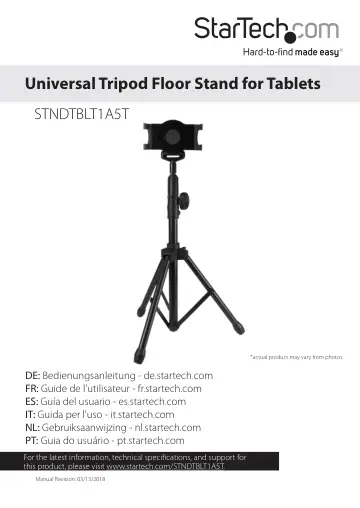
StarTech.com Adjustable Tablet Tripod Stand - TAA (STNDTBLT1A5T) user manual
- Type
- User manual
- Language
- English
- Pages
- 12
- Category
- Tablets
- Models
- STNDTBLT1A5T
Open PDFOpens the file on objects.icecat.biz.
Contents
- Product diagramp. 4
Front view of tablet holder Bracket claw Retractable bracket Bracket claw
- Front view of tablet holderp. 4
Bracket claw Retractable bracket Bracket claw
- Rear view of tablet holderp. 4
Retractable bracket Attachment button Attachment button Attachment
- Introductionp. 5
The STNDTBLT1A5T features a universal tablet mount that fits tablets ranging in size from 6.5” to 7.8” (166 to 200 mm) in width, with a maximum tablet…
- Product overviewp. 6
Dimensions of tripod when it’s not extended and the tablet holder is attached 74.5 cm (29.3 in.) Dimensions of tripod when it’s extended and the tablet holder…
- Assemble the tripodp. 7
1. Hold the tripod pole and turn the knob on the tripod to the left to loosen the legs on the tripod stand. 2. Pull out all three of the legs and turn the knob…
- Attach a tablet to the tripodp. 9
The universal tablet mount fits tablets ranging in size from, 6.5” and 7.8” (166 mm to 200 mm) in width, with a maximum tablet thickness of 0.45” / 11.5 mm. 1.…
- Adjust the tablet holderp. 10
The tablet holder moves in 90 degree increments in either direction, so the tablet can be in either landscape or portrait position. To move the tablet holder…
- Remove the tabletp. 10
1. Hold the tablet holder while you press and hold the buttons on either side of the attachment at the end of the tripod pole. Warning! Make sure that you have…
- Technical supportp. 11
StarTech.com’s lifetime technical support is an integral part of our commitment to provide industry-leading solutions. If you ever need help with your product…
- Warranty informationp. 11
This product is backed by a two-year warranty. StarTech.com warrants its products against defects in materials and workmanship for the periods noted, following…