Loading manual…
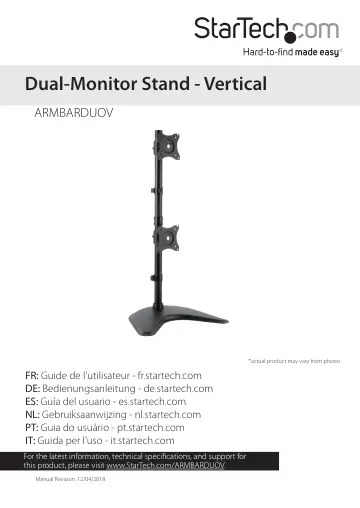
StarTech.com Dual-Monitor Stand (ARMBARDUOV) user manual
- Type
- User manual
- Language
- English
- Pages
- 22
- Category
- Monitors
- Models
- ARMBARDUOV
Open PDFOpens the file on objects.icecat.biz.
Contents
- Introductionp. 5
Product diagram Lower pole Upper pole Cable-management clip Pole connector Baseplate Cable-management clip VESA monitor mount VESA monitor mount
- Product diagramp. 5
Lower pole Upper pole Cable-management clip Pole connector Baseplate Cable-management clip VESA monitor mount VESA monitor mount
- Product dimensionsp. 6
- Technical specificationsp. 7
Type of measurement Measurement VESA mounting hole pattern 75x75 100x100 Weight capacity Up to 10 kg (22 lb.) per monitor mount Tilt +450 to -450 Screen size…
- Requirementsp. 10
Two monitors or displays that are compatible with one of the mounting hole patterns that ARMBARDUOV supports • A Phillips screwdriver Requirements are subject…
- Assemblyp. 11
Warning! Make sure that the weight of the monitors does not exceed the weight capacity of this product. If you exceed the weight capacity, you might experience…
- Assemble the lower polep. 11
1. Thread the cable-management clip onto the pole. 2. Thread the cap onto the pole. 3. Screw the pole into the baseplate. (figure 1) 4. Use the 3 mm hex key to…
- Attach a VESA monitor mountp. 12
1. Slide one of the VESA monitor mounts down the lower pole. (figure 3) figure 3 VESA monitor mounts Lower pole 2. When the VESA monitor mount is at the…
- Attach the upper polep. 13
1. Screw the pole connector onto the lower pole. 2. Attach the other cable-management clip to the upper pole. 3. Screw the upper pole into the pole connector.…
- Attach the second VESA monitor mountp. 14
1. Slide the other VESA monitor mount down the upper pole. (figure 7) figure 7 VESA monitor mount 2. When the VESA monitor mount is at the desired height, use…
- Attach monitors to the VESA monitor mountsp. 15
Warning! Attaching a monitor is a two-person job. Do not attempt to complete this task by yourself. Tipping hazard! The ARMBARDUOV is free-standing and when…
- Adjust the tilt angle of your monitorp. 19
1. To change the angle that a monitor is tilted at, use the 6 mm hex key to turn the screw in the side of the VESA monitor mount counterclockwise. 2. When the…
- Adjust the monitorsp. 20
- Technical supportp. 21
StarTech.com’s lifetime technical support is an integral part of our commitment to provide industry-leading solutions. If you ever need help with your product…
- Warranty informationp. 21
This product is backed by a five-year warranty. StarTech.com warrants its products against defects in materials and workmanship for the periods noted…