Loading manual…
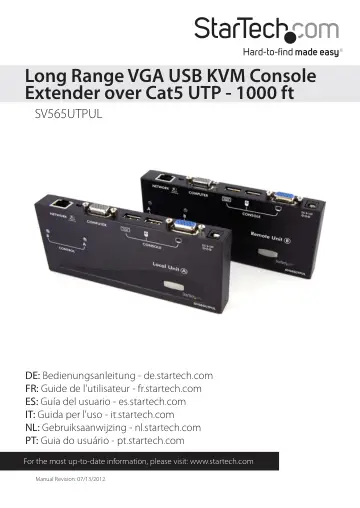
StarTech.com *actual product may vary from photos (SV565UTPUL) user manual
- Type
- User manual
- Language
- English
- Pages
- 20
- Category
- Docks & adapters
- Models
- SV565UTPUL
Open PDFOpens the file on objects.icecat.biz.
Contents
- Introductionp. 4
Thank you for purchasing a StarTech.com KVM extender. This product allows a computer to control a host system from a remote location at a distance of up to 984…
- Featuresp. 4
Can be used with a single computer or connected to an existing KVM switch • Easy installation using industry-standard UTP network cable • Intuitive hotkey…
- System Requirementsp. 4
x StarTech.com integrated KVM cable for each, the host (included) and remote (optional) computer connections. If necessary, longer cables are available…
- Connecting Your KVM Extenderp. 6
Preparing Your Site Before you can install the product, you need to prepare your site. 1. Determine where the Host computer will be located and set up the…
- Preparing Your Sitep. 6
Before you can install the product, you need to prepare your site. 1. Determine where the Host computer will be located and set up the computer. 2. Determine…
- Installing the Remote Unitp. 8
1. Place the Remote Unit near the remote keyboard/mouse/monitor setup. 2. Connect the USB mouse, keyboard, and a VGA monitor to the indicators marked as…
- Mask Hotkey Switchp. 8
The Mask Hotkey switch on the rear panel of both the Host and Remote Units is a feature for use when a KVM switch is being used. Setting the switch to ON or…
- Video Calibration (Remote Unit only)p. 9
Video Calibration allows the user to adjust the equalization, gain and RGB skew on the Remote Unit to optimize video performance based on the length of the UTP…
- Using the KVM Extenderp. 11
This section details how to use your KVM extender at both the host and remote locations
- Using the Host Unitp. 11
The Host Unit allows users connected to the Host and Remote units to share control of devices (hosts, computers, KVM Switches) connected to it. The Host Unit…
- Beep Codesp. 14
Some of the keyboard command sequences you issue to the Host Unit have multiple possible settings. The unit will beep to indicate what setting you have…
- LED Indicatorsp. 15
Mode A Indicator B Indicator Remote Access (Computer A) On (solid) Off Local Access (Computer B) Off On (solid) Keyboard Shortcut Command Sequences Standard…
- Alternative Hot-Key Controlp. 17
Instead of using the keyboard leading hot-key sequence, [Ctrl] - [Ctrl], the “Selection” button on the Host or Remote units can be used. These commands can be…
- Command Sequence - Host Unitp. 17
Hot-Key Description [press + hold Selection button for 2 sec] - [F3] Sets the interval of inactivity in seconds that the Host Unit will wait before returning…
- Specificationsp. 18
RJ-45 Connector Pinout Maximum Resolution 1600x1200/1920x1200 (at maximum UTP cable length) Maximum Range 948 feet (300 meters) Network Cabling Type…
- RJ-45 Connector Pinoutp. 18
Maximum Resolution 1600x1200/1920x1200 (at maximum UTP cable length) Maximum Range 948 feet (300 meters) Network Cabling Type Straight-through Unshielded…
- Technical Supportp. 19
StarTech.com’s lifetime technical support is an integral part of our commitment to provide industry-leading solutions. If you ever need help with your product…
- Warranty Informationp. 19
This product is backed by a three year warranty. In addition, StarTech.com warrants its products against defects in materials and workmanship for the periods…