Loading manual…
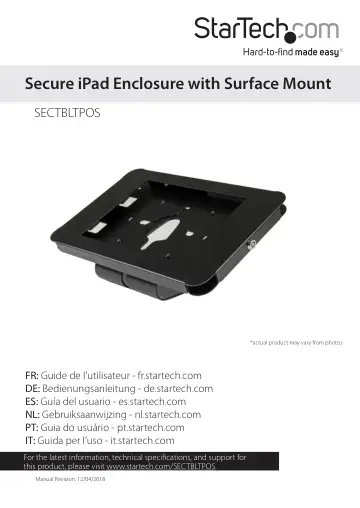
StarTech.com Secure Tablet Stand - Desk or Wall-Mountable - TAA (SECTBLTPOS) user manual
- Type
- User manual
- Language
- English
- Pages
- 15
- Category
- Tablets
- Models
- SECTBLTPOS
Open PDFOpens the file on objects.icecat.biz.
Contents
- Introductionp. 3
The SECTBLTPOS provides a secure way to mount your iPad to a table, wall, or standard VESA monitor mount. You can use the SECTBLTPOS to create a secure…
- Product diagramp. 5
Front view Bracket Front plate Rear plate Security lock
- Front viewp. 5
Bracket Front plate Rear plate Security lock
- Rear viewp. 5
Bracket Rear plate Front plate
- Assemble the iPad enclosurep. 6
Attach the pads to the plates 1. Use one of the security keys (4) to unlock the plates. 2. Remove the front plate (2) from the rear plate (3) (figure 1).…
- Attach the pads to the platesp. 6
1. Use one of the security keys (4) to unlock the plates. 2. Remove the front plate (2) from the rear plate (3) (figure 1). figure 1 2 3 Security lock 4 3.…
- Insert an iPadp. 9
To prevent scratching, you should handle the iPad with care when you insert it into the tablet holder. Note: Make sure that all of the necessary cables are…
- Attach the iPad enclosure to a wallp. 10
1. Line up the holes on the mounting bracket with the four holes on the back of the rear plate (3). 2. Use the four M4x8 mm hex screws (8) and the 2.5 mm Allen…
- Attach the iPad enclosure to a table or deskp. 11
You have the option to attach the SECTBLTPOS to a table or desk in a fixed position or one that rotates. 1. Line up the holes on the mounting bracket (1) with…
- Set up the iPad enclosure on a table or deskp. 12
Remove the backing from the four 12.7x2 mm rubber pads (11) and affix the pads to the bottom of the mounting bracket (1) (figure 14). figure 14 11 1 1. Line up…
- Attach the iPad enclosure to a universal VESA mountp. 13
1. Line up the universal VESA mount with the four holes on the back of the rear plate (3). 2. Use the four M4x8 mm hex screws (8) and the 2.5 mm Allen key (9)…
- Technical supportp. 14
StarTech.com’s lifetime technical support is an integral part of our commitment to provide industry-leading solutions. If you ever need help with your product…
- Warranty informationp. 14
This product is backed by a five-year warranty. StarTech.com warrants its products against defects in materials and workmanship for the periods noted…