Loading manual…
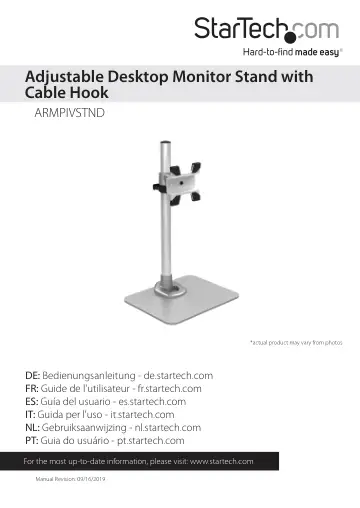
StarTech.com Single Monitor Stand (ARMPIVSTND) user manual
- Type
- User manual
- Language
- English
- Pages
- 15
- Category
- Monitors
- Models
- ARMPIVSTND
Open PDFOpens the file on objects.icecat.biz.
Contents
- Introductionp. 4
Packaging Contents • 1 x Instruction Manual Aluminum Base Qty: 1 Support Post Qty: 1 Monitor Mount Qty: 1 Cable Clip Qty: 1 Iron Position Ring Qty: 1 M5x18mm…
- Product Overviewp. 5
- Installationp. 5
Stand Assembly 1. Attach the Aluminum Base (1) and Support Post (2) using 4 M5x18mm Hex Screws (6) and the 3mm Allen Wrench (10). +45º -15º Max Note: The size…
- Stand Assemblyp. 5
1. Attach the Aluminum Base (1) and Support Post (2) using 4 M5x18mm Hex Screws (6) and the 3mm Allen Wrench (10). +45º -15º Max Note: The size and type of…
- Standard LCD / LED Monitor Mountingp. 7
1. Carefully place your display face down on a protective surface to access the mounting points. 2. Attach the display to the Monitor Mount (3) using the 4…
- iMac / Apple Cinema Display Mountingp. 8
1. Power off your iMac / Apple Cinema display and disconnect all cables. 2. Turn the display so the back is facing you, and tilt the display all the way…
- Adjusting Monitor Mount Resistancep. 12
Warning: Forced movement of the Mount Bracket without loosening the screws may damage the product or the mounted displays. Always support your display from…
- Specificationsp. 13
Weight Capacity 30.9 lbs (14 kg) Max Display Size 30” VESA Compatibility 75x75 mm and 100x100 mm
- Technical Supportp. 14
StarTech.com’s lifetime technical support is an integral part of our commitment to provide industry-leading solutions. If you ever need help with your product…
- Warranty Informationp. 14
This product is backed by a ten-year warranty. In addition, StarTech.com warrants its products against defects in materials and workmanship for the periods…