Loading manual…
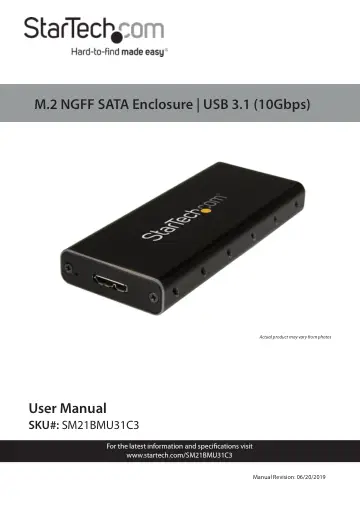
StarTech.com SM21BMU31C3 user manual
- Type
- User manual
- Language
- English
- Pages
- 13
- Category
- Storage & drives
- Models
- SM21BMU31C3
Open PDFOpens the file on objects.icecat.biz.
Contents
- Compliance Statementsp. 2
FCC Compliance Statement This equipment has been tested and found to comply with the limits for a Class B digital device, pursuant to part 15 of the FCC Rules.…
- Safety Statementsp. 3
Safety Measures • Wiring terminations should not be made with the product and/or electric lines under power. • Cables (including power and charging cables)…
- Product Diagramp. 5
Front View 1 Drive Tray Screw 2 USB 3.1 Micro-B Port 3 Drive Tray Screw 1 2 3
- Front Viewp. 5
Drive Tray Screw 2 USB 3.1 Micro-B Port 3 Drive Tray Screw 1 2 3
- Internal Viewp. 6
M.2 NGFF Key B Drive Connector 2 Drive Length Adjustable Holes (x 4) 3 Drive-Mount Hardware (Screw and Standoff) 1 2 3
- Product Informationp. 7
- Requirementsp. 7
System requirements are subject to change. For the latest requirements, please visit www.startech.com/SM21BMU31C3. • An available USB connector • An M.2 NGFF…
- Installing a Hard Drivep. 8
Warning! Hard Drives should be handled carefully, especially when they’re transported. If you’re not careful with your drives, you may lose data as a result.…
- Connecting the Hard Drive Enclosurep. 9
Note: The Hard Drive Enclosure does not require an exter nal power supply, as it receives enough power through the USB port on the Host Computer. After you…
- Formatting a Hard Drivep. 10
If you install a Hard Drive that already has data on it, after you insert the Hard Drive, it appears under My Computer or Computer with a drive letter assigned…
- Disconnecting a Hard Drivep. 11
If the computer that you are using is running a version of Windows, complete the following steps: 1. On the task bar notification area on your desktop, click…