Loading manual…
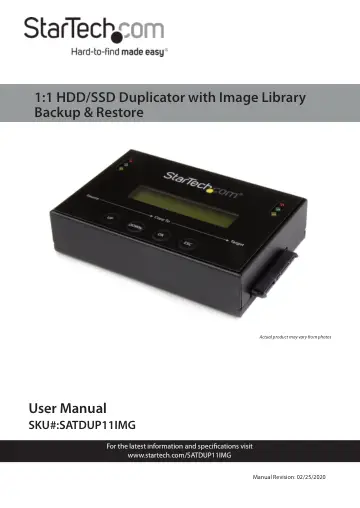
StarTech.com 1:1 Standalone Hard Drive Duplicator (SATDUP11IMG) user manual
- Type
- User manual
- Language
- English
- Pages
- 20
- Category
- Storage & drives
- Models
- SATDUP11IMG
Open PDFOpens the file on objects.icecat.biz.
Contents
- Product Diagramp. 5
Front View 1 Source HDD Status LEDs 2 SATA HDD Source Port 3 Up Navigation Button 4 Down Navigation Button 5 OK Button 6 Esc Button 7 SATA HDD Target Port 8…
- Front Viewp. 5
Source HDD Status LEDs 2 SATA HDD Source Port 3 Up Navigation Button 4 Down Navigation Button 5 OK Button 6 Esc Button 7 SATA HDD Target Port 8 Target HDD…
- Rear Viewp. 6
Power Switch 2 Power Adapter Port 1 2
- Product Informationp. 7
- Requirementsp. 7
Source Drive x 1 • Target Drive x 1
- Hardware Installationp. 8
Warning! Hard drives and drive duplicators require care ful handling, especially when being transported. If you are not careful with your hard disk, lost data…
- Operationp. 10
Copy Function The Copy section enables you to create exact duplicates of entire drives, or use your image drive to copy a specific drive image from your image…
- Copy Functionp. 10
The Copy section enables you to create exact duplicates of entire drives, or use your image drive to copy a specific drive image from your image drive. As well…
- Comparep. 11
The Compare function can be used after the HDD duplication is finished and confirms that the data on the Target HDD is identical to the Source HDD. Note…
- Copy & Comparep. 12
The Copy & Compare function duplicates the Source HDD based on the copy method selected and then automatically compares the data on the Target HDD with the…
- Image Managerp. 12
The Image Manager allows you to create an Image Library Drive and review details, delete, and rename drive images saved on your image drive. Note: Ensure your…
- Utilityp. 14
From the Utility options you can access different administrative configurations and information. Show Disc Info The Show Disc Info. function displays…
- Setupp. 16
From the Setup function you can access different advanced configurations.