Loading manual…
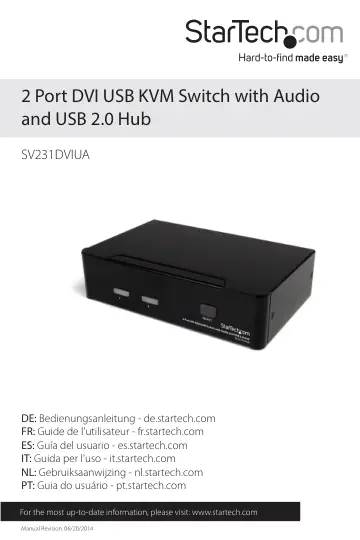
StarTech.com SV231DVIUA user manual
- Type
- User manual
- Language
- English
- Pages
- 13
- Category
- Docks & adapters
- Models
- SV231DVIUA
Open PDFOpens the file on objects.icecat.biz.
Contents
- Introductionp. 4
The 2-Port DVI USB KVM Switch with Audio and USB 2.0 Hub lets you control two USB enabled, DVI capable computers from a single monitor and peripheral set…
- Front Viewp. 5
Rear View Port Selection/Link Port Selection Button
- Rear Viewp. 5
Port Selection/Link Port Selection Button
- Installationp. 6
NOTE: Prior to the installation, please power off all devices that will be connected to this system. Ensure that all devices you will connect are properly…
- Hardware Installationp. 6
1. Plug a monitor into the Console side DVI connector using a standard male/male DVI cable; plug a USB keyboard and a USB mouse into the dedicated USB keyboard…
- Driver Installationp. 7
No driver installation is required for the KVM switch, as the keyboard and mouse uses native USB keyboard/mouse drivers that are already installed on all…
- Operationp. 8
Front Panel Port Selection/Link LED The LED turns green when the connected computer is powered-on. The corresponding LED will also illuminate red when that PC…
- Front Panelp. 8
Port Selection/Link LED The LED turns green when the connected computer is powered-on. The corresponding LED will also illuminate red when that PC port is…
- HotKey Controlp. 8
A Hotkey command is a short keyboard sequence for selecting a computer, activating computer scan, etc. A hotkey sequence starts with two left <CTRL> keystrokes…
- Alternative Hotkey Commandsp. 10
In addition to the Left <CTRL> + Left <CTRL> hotkeys, there are two alternative hotkey sequences available. 1. For the following operations, users may press…
- Change Leading Hotkeyp. 10
The default leading hotkey sequence involves pressing the left <CTRL> twice in succession (e.g. left <CTRL> + left <CTRL>). This can be changed to the right…
- Specificationsp. 11
Number of Ports 2 Computer Connectors (per Port) 1 x 29-pin DVI female 1 x USB type B female 2 x 3.5mm mini-jack female Console Connectors 1 x 29-pin DVI…
- Technical Supportp. 12
StarTech.com’s lifetime technical support is an integral part of our commit-ment to provide industry-leading solutions. If you ever need help with your…
- Warranty Informationp. 12
This product is backed by a three year warranty. In addition, StarTech.com warrants its products against defects in materials and workmanship for the periods…