Loading manual…
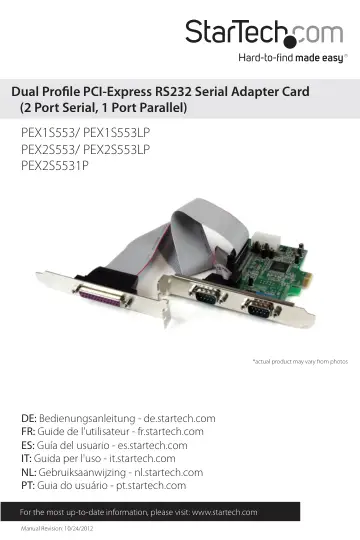
StarTech.com PEX1S553 user manual
- Type
- User manual
- Language
- English
- Pages
- 11
- Category
- Docks & adapters
- Models
- PEX1S553PEX1S553LPPEX2S553PEX2S5531PPEX2S553LP
Open PDFOpens the file on objects.icecat.biz.
Contents
- Introductionp. 4
Thank you for your purchase of a StarTech.com Dual Profile PCI Express I/O card. This convenient I/O solution utilizes a native, single-chip design for maximum…
- Featuresp. 4
Native PCI Express (single chip) • Supports data transfer rates of up to: 2.7 Mbps (parallel) 460.8 Kbps (serial) • Configurable in 5V, 12V, and RI…
- Hardware Guidep. 5
Serial Port #1 Serial Port #2 (PEX2S553, PEX2S553LP, PEX2S5531P) Parallel Port Connector (PEX2S5531P) LP4 Power Port **PEX2S5531P Shown
- Installationp. 5
WARNING! PCI Express cards, like all computer equipment, can be severely damaged by static electricity. Be sure that you are properly grounded before opening…
- Setting Power Modep. 6
This card is specially designed to allow for power output from the ninth pin of the DB9 connector(s) for devices that support power over serial. This card…
- Hardware Installationp. 6
1. Remove the cover of your system (see your computer’s user manual for details, if necessary) and gently turn your computer onto its side, so that the PCI…
- Software Installationp. 7
When the computer is booted up following the physical installation of the PCI Express card, the operating system will detect the presence of the card within…
- Verifying Installationp. 8
To verify that the installation was successful in Windows 2000/XP/Vista: 1. Right-click on My Computer and select Manage to open the Computer Management…
- Specificationsp. 9
PEX1S553 PEX1S553LP PEX2S553 PEX2S553LP PEX2S5531P Bus Type PCI Express x1 Chipset ID Moschip MCS9922CV-AA Moschip MCS9901CV-CC Maximum Data Transfer Rate…
- Technical Supportp. 10
StarTech.com’s lifetime technical support is an integral part of our commitment to provide industryleading solutions. If you ever need help with your product…
- Warranty Informationp. 10
This product is backed by a two year warranty. In addition, StarTech.com warrants its products against defects in materials and workmanship for the periods…