Loading manual…
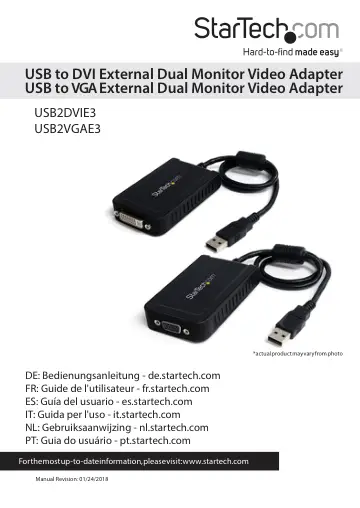
StarTech.com USB 2.0 to VGA Adapter (USB2VGAE3) user manual
- Type
- User manual
- Language
- English
- Pages
- 14
- Category
- Monitors
- Models
- USB2VGAE3
Open PDFOpens the file on objects.icecat.biz.
Contents
- Introductionp. 4
The USB Multi Monitor External Video Adapter lets you add a high-resolution 1920x1200 external DVI (USB2DVIE3) or VGA (USB2VGAE3) output to your desktop or…
- System Requirementsp. 4
USB enabled computer system with available USB port • DVI or VGA enabled display device (e.g. monitor, projector, HTDV, etc) • Single Video Adapter: CPU…
- Installationp. 5
Please ensure that the driver installation is complete prior to the physical installation (plugging in) of the USB 2.0 Video Adapter
- Driver Installation (Windows)p. 5
1. Insert the Driver CD into your CD/DVD-ROM drive. 2. If the installation program does not begin automatically, locate the Setup.exe application. This file…
- Multiple USB Video Adapter Installationp. 6
Ensure you have the latest version of the drivers installed, otherwise, please download them from the StarTech.com website (www.startech.com). 1. Complete the…
- Verifying Installationp. 6
From the main desktop, right-click on “My Computer” (“Computer” in Vista), then select Manage. In the new Computer Management window, select Device Manager…
- Configuring the USB Video Adapterp. 7
Look for the USB Video Adapter icon ( ) on your Windows System Tray (next to clock). Right-click this icon to access the variety of functions associated to the…
- Windows XP/Vistap. 7
Display ID The USB Video Adapter supports the VESA defined DDC/EDID standard. The utility will show the display device ID whenever it is attached to the USB…
- Display IDp. 7
The USB Video Adapter supports the VESA defined DDC/EDID standard. The utility will show the display device ID whenever it is attached to the USB Video…
- Display Resolutionp. 7
Select the desired video display resolution for the connected monitor. The default setting resolution is: 1024 x 768 * 32-bit
- Display Rotationp. 7
options available: 0°, 90°, 180°, 270° when used with the Extended or Primary display modes. It is a useful function for some rotatable display devices.
- Display Modesp. 8
“EXTENDED” Display Mode (Default) A default display mode; this feature allows the attached USB Video Adapter enabled display to work as an “Extended” display…
- Identify Monitorsp. 9
Easy display identification via an overlay will be shown in the upper right corner of all attached display devices
- Multi-Display Control Panelp. 9
A unique feature to allow quicker and simpler management of a multi-display environment. A series of hotkeys to quickly move the active window or mouse cursor…
- Display Settingsp. 10
Quick access to the Windows “Display Settings” window
- Windows 7p. 10
The USB Video Adapter drivers allow for all adjustments through the built-in Display Settings window. These settings can be accessed by right-clicking on the…
- Supported Resolutionsp. 11
- Specificationsp. 12
- Technical Supportp. 13
StarTech.com’s lifetime technical support is an integral part of our commitment to provide industry-leading solutions. If you ever need help with your product…
- Warranty Informationp. 13
This product is backed by a two year warranty. In addition, StarTech.com warrants its products against defects in materials and workmanship for the periods…