Loading manual…
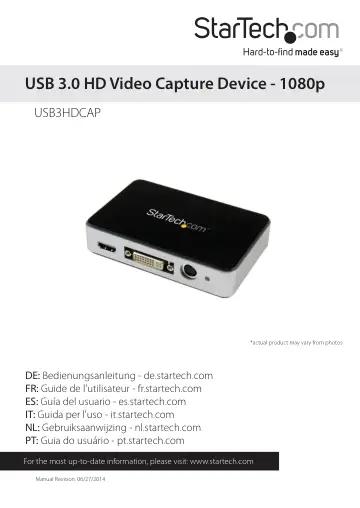
StarTech.com USB 3.0 Video Capture Device (USB3HDCAP) user manual
- Type
- User manual
- Language
- English
- Pages
- 25
- Models
- USB3HDCAP
Open PDFOpens the file on objects.icecat.biz.
Contents
- Product Diagramp. 4
- Front Viewp. 4
Rear View HDMI audio/video input port A/V breakout cable input port (For Component, S-Video, and composite video input + RCA audio input) Power LED DVI video…
- Rear Viewp. 4
HDMI audio/video input port A/V breakout cable input port (For Component, S-Video, and composite video input + RCA audio input) Power LED DVI video input port…
- Introductionp. 5
Packaging Contents • 1x USB 3.0 HD video capture device (USB3HDCAP) • 1x A/V breakout cable • 1x DVI to VGA video adapter • 1x USB 3.0 cable • 1x Software…
- System Requirementsp. 5
Computer system with: • Available USB 3.0 port • CPU: i3 Dual Core 2.8GHz or higher • RAM: 2GB or higher • Microsoft® Windows® XP/Vista/7/8/8.1 (32/64-bit) •…
- Installationp. 6
Software Installation Note: Please complete the Software Installation steps prior to Hardware Installation steps. 1. Download the latest software from the…
- Software Installationp. 6
Note: Please complete the Software Installation steps prior to Hardware Installation steps. 1. Download the latest software from the StarTech.com website…
- Hardware Installationp. 8
Note: Please ensure the Software Installation steps have been completed prior to beginning Hardware Installation steps. 1. Using the included USB 3.0 cable…
- Software Operationp. 11
1. Upon starting Windows, if the “Found New Hardware” wizard appears on the screen, cancel/close the window and insert the included Driver CD into the…
- How to Usep. 11
Connect the audio/video source to the video capture card using the appropriate cable(s). To connect a VGA source, use the included DVI to VGA adapter. If you…
- Stream Catcherp. 11
Launch Application Double-click the “StreamCatcher” icon on the desktop to launch the video capture application. This will bring up the main menu screen that…
- Technical Supportp. 24
StarTech.com’s lifetime technical support is an integral part of our commitment to provide industry-leading solutions. If you ever need help with your product…
- Warranty Informationp. 24
This product is backed by a two year warranty. In addition, StarTech.com warrants its products against defects in materials and workmanship for the periods…