Loading manual…
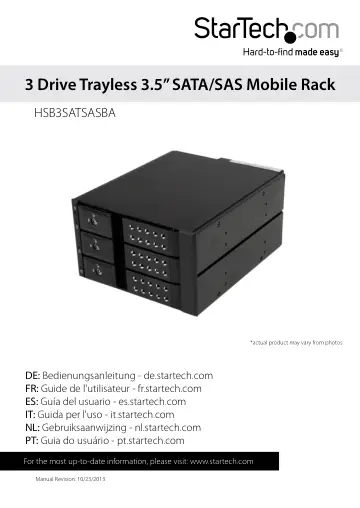
StarTech.com HSB3SATSASBA user manual
- Type
- User manual
- Language
- English
- Pages
- 12
- Category
- Storage & drives
- Models
- HSB3SATSASBA
Open PDFOpens the file on objects.icecat.biz.
Contents
- Product Diagramp. 4
Front View 1. 3 x 2.5” Drive bays 2. 3 x 2.5” Drive bay key hole 3. 3 x /3.5in LED indicators
- Front Viewp. 4
1. 3 x 2.5” Drive bays 2. 3 x 2.5” Drive bay key hole 3. 3 x /3.5in LED indicators
- Rear Viewp. 4
1. 2 x SATA Drive Power Connector ports 2. 3 x SATA Data Connector ports 3. Hard Drive LED Enable/Disable 4. Fan speed control switch (High/Low)
- Introductionp. 5
Packaging Contents • 1 x 3 SATA HDD Backplane • 3 x 18” SATA Cable • 2 x Bay Key • 1 x Installation Screw kit • 1 x Instruction Manual
- System Requirementsp. 5
1X Computer System with SATA connectivity and two available 5.25” bays • 2X Available SATA Power Connections • Up to three 3.5” SATA/SAS Hard Drive(s) WARNING!…
- Installationp. 6
holes on the 5.25” bays, into the side installation holes on the HSB3SATSASBA. 4. Connect the 3x included 18in SATA cables from an available SATA host port on…
- Hardware Installationp. 6
1. Ensure your computer system is powered down, and the power cable has been disconnected from the Power Supply. 2. Open your computer case (refer to the…
- 3.5in Hard Drive Installationp. 7
1. Insert either of the included bay keys into the your desired 3.5in Drive bay key holes depending on which drawer you intend to install the drive into. And…
- 3.5in Hard Drive Removalp. 8
1. Insert either of the included bay keys into the “2.5in/3.5in Drive bay key holes depending on which type of drive you intend to install. And Turn the key…
- How to Usep. 9
Connecting the Hard Drive Once the drive has been installed in the drive bay, the drivers will install automatically, and the inserted drive will be accessible…
- Connecting the Hard Drivep. 9
Once the drive has been installed in the drive bay, the drivers will install automatically, and the inserted drive will be accessible as though it were…
- LED Indicatorp. 9
The HSB2535SATBK offers 3.5in LED indicators, to enable you to monitor drive activity. The LED will flash while the hard drive is being accessed. Do not remove…
- Disconnecting the Hard Drivep. 9
Windows The drive should be uninstalled from device manager, or unmounted using third party hot swap software. Note: Removing the connected drive while it is…
- Initializing the Hard Drivep. 10
1. If the SATA Hard Drive is blank it may need to be initialized and formatted before use. From the main Windows desktop, right-click on “My Computer”…
- Technical Supportp. 11
StarTech.com’s lifetime technical support is an integral part of our commitment to provide industry-leading solutions. If you ever need help with your product…
- Warranty Informationp. 11
This product is backed by a two year warranty. In addition, StarTech.com warrants its products against defects in materials and workmanship for the periods…