Loading manual…
StarTech.com DKT30CSDHPD3 user manual
- Type
- User manual
- Language
- English
- Pages
- 17
- Category
- Docks & adapters
- Models
- DKT30CSDHPD3
Open PDFOpens the file on objects.icecat.biz.
Contents
- Compliance Statementsp. 2
FCC Compliance Statement This equipment has been tested and found to comply with the limits for a Class B digital device, pursuant to part 15 of the FCC Rules.…
- Safety Statementsp. 3
Safety Measures • Wiring terminations should not be made with the product and/or electric lines under power. • Product installation and/or mounting should be…
- Warning Statementsp. 4
Make sure to assemble this product according to the instructions. Failure to do so might result in personal injury or property damage. Never use this product…
- Product Diagramp. 7
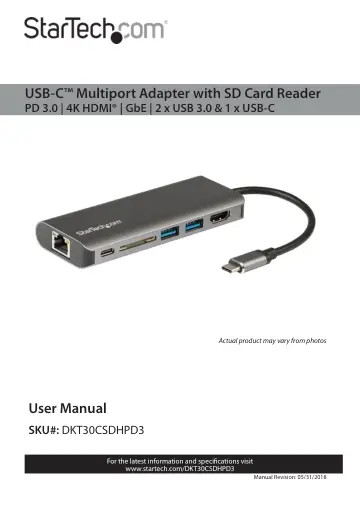
Actual product may vary from photos
- Top Viewp. 7
Side View USB-C Port (Power/Data) SD Card Slot USB-A Ports HDMI Port RJ45 Port
- Side Viewp. 7
USB-C Port (Power/Data) SD Card Slot USB-A Ports HDMI Port RJ45 Port
- Product Informationp. 8
Package Contents • Multiport Adapter x 1 • User Manual x 1
- Requirementsp. 8
- Powering the Multiport Adapterp. 9
USB Power Delivery 3.0 Fast Role Swap: A Fast Role Swap function is available when using Power Delivery 3.0. This function prevents USB data disruption when…
- USB Power Delivery 3.0p. 9
Fast Role Swap: A Fast Role Swap function is available when using Power Delivery 3.0. This function prevents USB data disruption when switching power sources…
- USB Power Delivery 2.0p. 9
If the Host Computer’s USB-C Port only supports USB Power Delivery 2.0, it will still support Power Delivery pass-through, but it will not support Fast Role…
- Connecting the USB-C Power Adapterp. 9
The Multiport Adapter is powered using the Host Computer’s USB-C power adapter. The Multiport Adapter requires 12 W of Power Delivery to power the adapter and…
- Disconnecting the USB-C Power Adapterp. 10
Warning (if the Host only supports Power Delivery 2.0): Before disconnect ing a USB-C power adapter from the Multiport Adapter, ensure all data transfers are…
- Connecting the Multiport Adapterp. 10
USB-A Ports The USB-A Ports can be used as charging ports (e.g. cell phone, laptop, tablet, etc.), or to connect a USB storage device (e.g. Flash Drive) or…
- USB-A Portsp. 10
The USB-A Ports can be used as charging ports (e.g. cell phone, laptop, tablet, etc.), or to connect a USB storage device (e.g. Flash Drive) or other USB…
- HDMI Portp. 11
The HDMI Port is used to connect a Video Display Device to the connected Host Computer. 1. Connect an HDMI Cable to the HDMI Port on the Multiport Adapter. 2.…
- RJ45 Portp. 11
1. Connect a CAT5e/CAT6 cable to the RJ45 port on the Multiport Adapter. 2. Connect the CAT5e/CAT6 cable’s other RJ45 connector to an RJ45 port on a compatible…
- USB-A Portp. 11
The two USB-A ports on the Multiport Adapter can be used to connect compatible USB devices such as Media devices (e.g. External Media Drive) or devices for use…
- Inserting an SD Cardp. 11
1. Insert an SD Card label side up into the SD Card Slot on the Multiport Adapter. Note: The Host Computer’s Operating System (OS) will automatically detect…
- Removing an SD Cardp. 12
Warning: Removal of the SD or Micro SD Card before it is safe could result in the loss or corruption of data on the SD Card. Windows 1. Click on the Up arrow…
- LED Indicatorsp. 13
RJ45 Port Green LED • Solid LED • Indicates that link speed is either 1000Mbps (1 GbE), 100Mbps, or 10Mbps • LED Off • Indicates no connectivity Amber LED •…
- RJ45 Portp. 13
Green LED • Solid LED • Indicates that link speed is either 1000Mbps (1 GbE), 100Mbps, or 10Mbps • LED Off • Indicates no connectivity Amber LED • Flashing LED…
- Additional Informationp. 13
Installing the Driver If the required driver does not automatically install after connecting the Multiport Adapter to the Host Computer, complete the driver…
- Installing the Driverp. 13
If the required driver does not automatically install after connecting the Multiport Adapter to the Host Computer, complete the driver installation manually…
- Configuring a Displayp. 14
Video output capabilities are dependent on the video card and hardware specifications of the connected Host Computer. Note: Navigating to the Settings screen…
- Display Preferencep. 14
screen. 3. On the Display Preference screen, you can configure your system’s display settings: Display Preferences/Settings Orientation: • Landscape: Sets the…
- Troubleshootingp. 15
Reactivating an SD Card Autoplay/Autorun Function Depending on the Host Computer’s OS, the SD Card Configuration screen may appear, giving you several…
- Reactivating an SD Card Autoplay/Autorun Functionp. 15
Depending on the Host Computer’s OS, the SD Card Configuration screen may appear, giving you several configuration options. If you select the Take No Action…